


I don’t usually get excited about laptops that exist just to be different. When I first saw the ASUS Zenbook Duo, my genuine reaction was, why does this even exist?
After using it properly for a week, that opinion flipped completely.
What started as a sponsored video quickly turned into one of the most interesting productivity laptops I’ve used in a long time. Not because it is trying to replace everything else, but because it solves a very specific problem in a way that actually works.
This is not a laptop for everyone. But for the right person, it might be close to perfect.
What the ASUS Zenbook Duo Actually Is
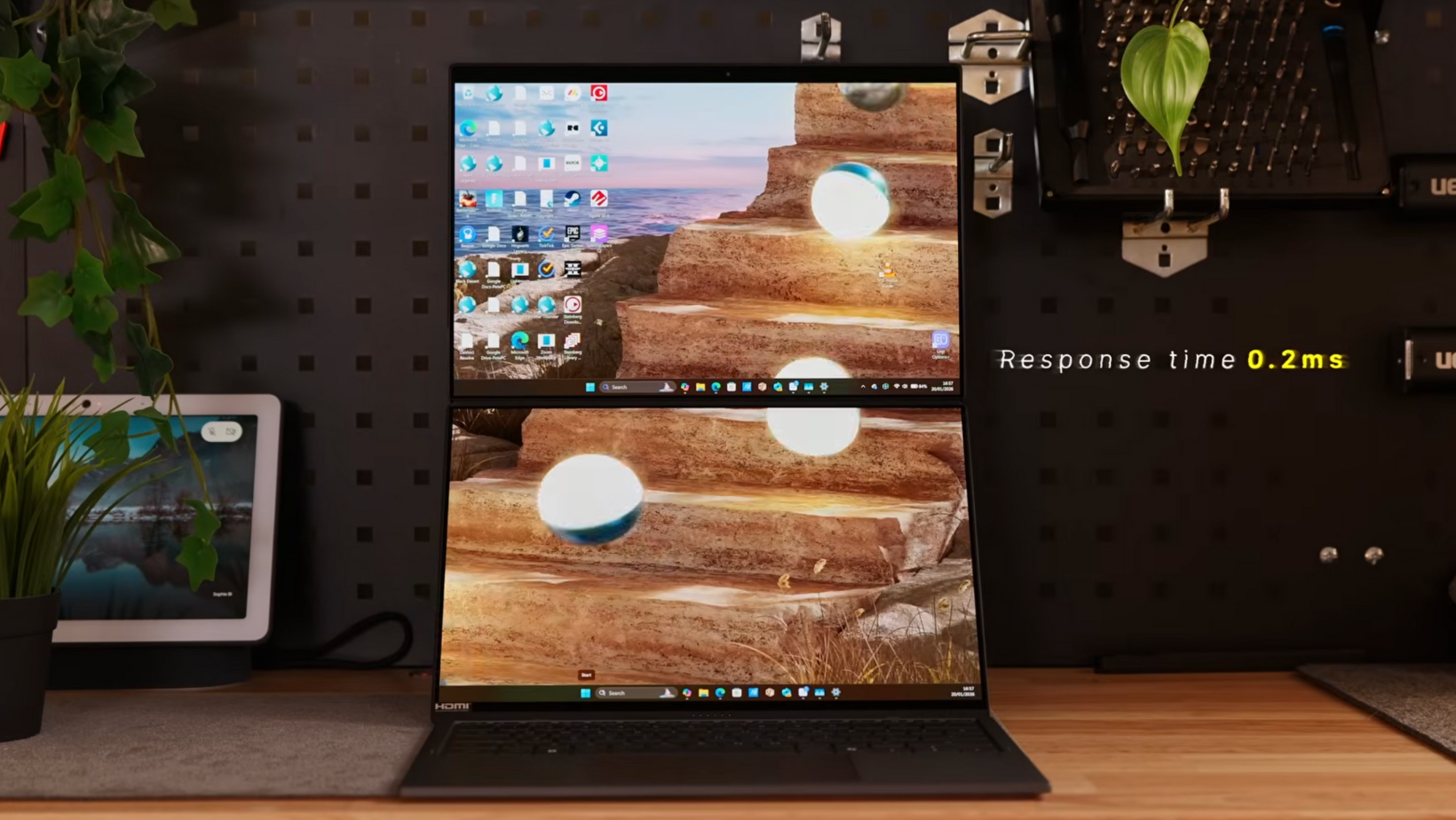
At its core, the Zenbook Duo is a dual-screen productivity laptop built for people who live on the move but still want a proper multi-monitor workflow.
The configuration I’ve been using comes with an Intel Core Ultra Series processor with a dedicated NPU for AI tasks, Intel Arc graphics, 32GB of LPDDR5X memory, and a 2TB SSD.
You also get a solid port selection including HDMI 2.1 and Thunderbolt 4, which immediately makes it more practical than a lot of thin and light laptops.
On paper, the specs are strong. In practice, the design is what makes it interesting.
Why Has Apple Still Not Built This?
One of the first things I kept thinking while using this laptop was why Apple has not done something similar yet.
For years, the MacBook Pro has been the default recommendation for creatives and remote workers. The Zenbook Duo feels like a genuine alternative for people who want more screen space without carrying a second portable monitor.
This is not about raw power. It is about flexibility. ASUS has leaned into the idea that modern work is multi-window, multi-task, and rarely done at a desk anymore.
Build Quality and Portability
Despite having two displays, the Zenbook Duo still feels surprisingly premium and well put together.
ASUS uses what they call a Ceraluminum finish, which is designed to be stronger than standard aluminum and more resistant to fingerprints. In daily use, that actually checks out. It stays clean and feels solid.
At 1.65kg, it is heavier than a typical ultraportable laptop. You definitely notice it in a bag. That said, once you remember you are carrying two OLED screens, the trade-off makes sense.
Is This the Best Laptop for Remote Working?
For how I work, this is one of the best laptops for remote working I’ve tested.
Most days, I am working from cafes, co-working spaces, or sometimes even the gym. With the keyboard attached, the Zenbook Duo feels like a normal, very good laptop. Low profile, comfortable to type on, and easy to use on a small table.
The real difference comes when you detach the keyboard.
Once the keyboard comes off, the bottom half becomes a second screen that can be propped up using the built-in kickstand. You can also rotate the laptop into portrait mode and run two vertical displays side by side.
If you are used to a dual-monitor desk setup, this completely changes how productive you can be while travelling. No cables, no external power bricks, no extra accessories to pack.
ASUS Zenbook Duo Dual OLED Display
The standout feature is easily the dual OLED display setup.
You are getting two 3K OLED touchscreens running at up to 144Hz with VRR support. They hit up to 1,000 nits peak brightness and cover 100 percent of the DCI-P3 colour gamut.
In real use, they look fantastic. Text is sharp, colours are vibrant, and the pixel density is high enough that everything looks clean without scaling issues.
This matters a lot if you do any kind of creative work. Editing video, working with timelines, or just having reference material open on a second screen feels natural and intuitive.
Keyboard and Input Experience
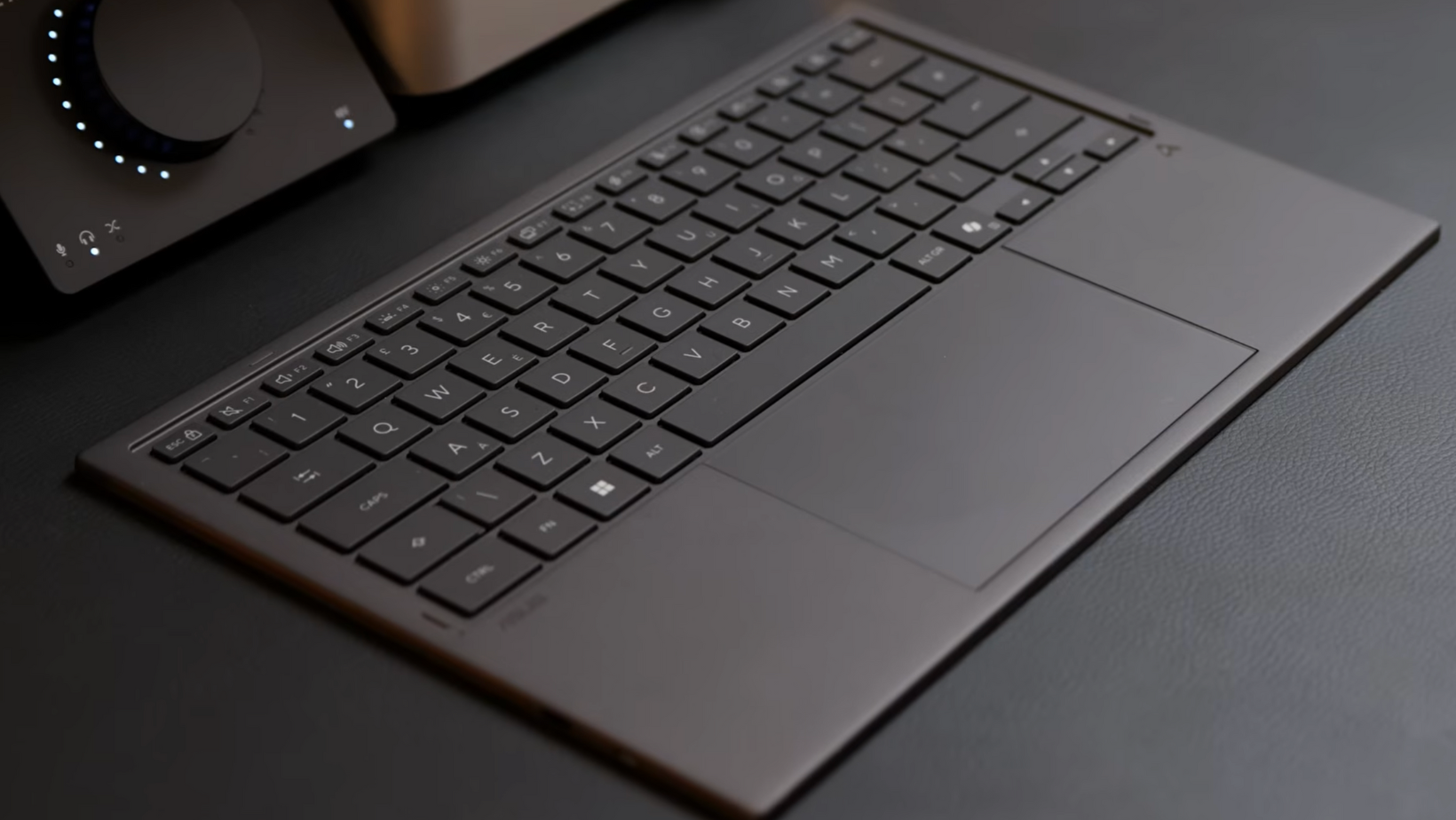
The detachable keyboard is better than I expected.
The ASUS Zenbook Due claims up to 52 hours of battery life with the backlight off, and in my use I had no reason to doubt that. It connects via pogo pins when attached and switches to wireless automatically when detached.
Using the trackpad while the keyboard is detached does feel a bit strange at first. I adjusted faster than I expected, but I still would not want to work like that all day. A small mouse in the bag makes a big difference here.
Dual-Screen Productivity and Audio Production
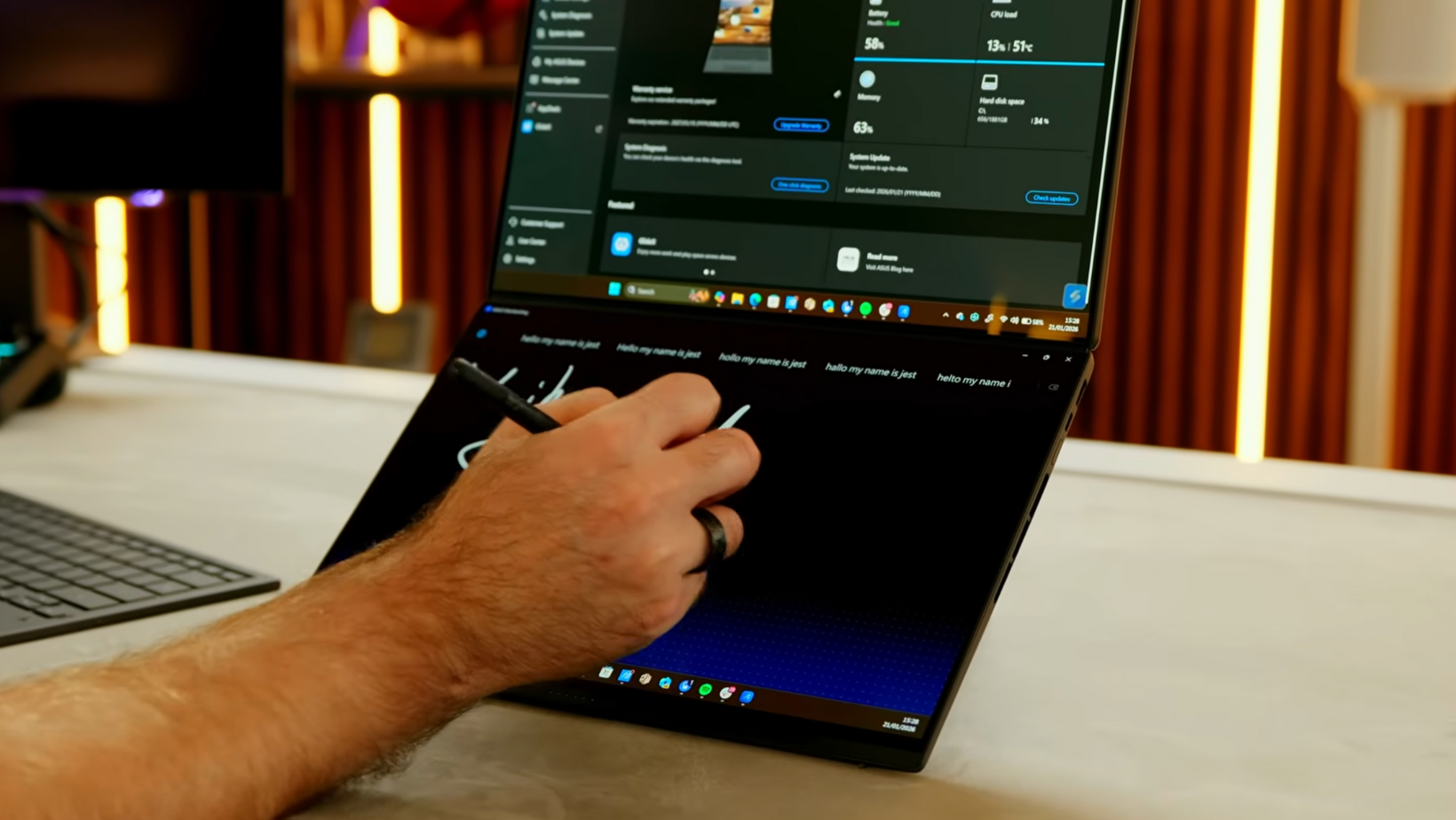
As a dual-screen laptop for productivity, the Zenbook Duo really shines.
I tested it with audio production in Cubase, running around 20 tracks with multiple effects and plugins. It handled that workload without any issues. Having the mixer on one screen and the timeline on the other made everything faster and more comfortable.
The laptop also comes with the ASUS Pen 3.0. Writing on the top screen can feel a bit unstable, but using the pen on the lower screen with the keyboard removed is much better. For note-taking, sketching ideas, or making quick edits, it works well.
Gaming Performance and Battery Life
This is not a gaming laptop, but it is more capable than you might expect.
With the Intel Arc GPU, I was seeing around 80 to 90 FPS in Fortnite at the native 3K resolution on medium settings. That is more than enough for casual gaming in the evening. It is a nice bonus, not a reason to buy the laptop.
Battery life is the big question with any dual-screen device. The ASUS claims up to 18 hours of video playback in dual-screen mode. In my day-to-day productivity use, it comfortably got me through a full working day.
Heavy tasks like large downloads or audio rendering will drain it faster. It is not as efficient as a MacBook, but for a Windows productivity machine with two OLED screens, the battery life is genuinely solid.
Watch the Full Video
If you want to see how the Zenbook Duo actually transitions between its different modes, the video is worth watching. Seeing it go from a standard laptop to a dual-screen workstation makes the design choices make a lot more sense.
Final Thoughts on the ASUS Zenbook Duo
The ASUS Zenbook Duo fits extremely well into a travel-focused and remote-working setup.
It solves the problem of limited screen space on the go in a way that feels well thought out rather than gimmicky. The extra weight is real, but for me, the productivity gain more than justifies it.
If you are looking for a high-quality Windows laptop that does something genuinely different, this is one of the most interesting options available right now. It has quickly become one of my favourite devices to work on when I am not at my desk.
More From Pete Matheson
If you found this review useful, there is plenty more to check out.
I share deeper thoughts and experiments in the newsletter, more unfiltered takes in the Aftershow, and longer conversations about technology and business on the podcast. If you want more context around the gear I use and why I use it, those are the best places to start.
