


The best Galaxy S26 accessories are the ones you actually use every day, not the ones that look impressive in a YouTube thumbnail and end up in a drawer by week two.
I've been testing accessories across every Galaxy S-series launch for years now, and every year the list gets a little more refined. Some products drop off. Some stick around. A few become permanent fixtures.
This year I set up my S26 Ultra completely fresh with a new account, new setup, nothing carried over from the S25. That process reminded me how much the right accessories change the experience. The right case changes how you interact with your phone, the right charger means you stop thinking about battery life entirely, and the right earbuds mean you actually wear them instead of leaving them on the desk.
So here's what I'm actually using with my Galaxy S26 Ultra right now. Cases, screen protectors, wallets, chargers for every scenario, audio, tracking, and wearables. Everything is linked in the description of the accompanying video. Let's get into it!
The Case: MagBak (Year Four)
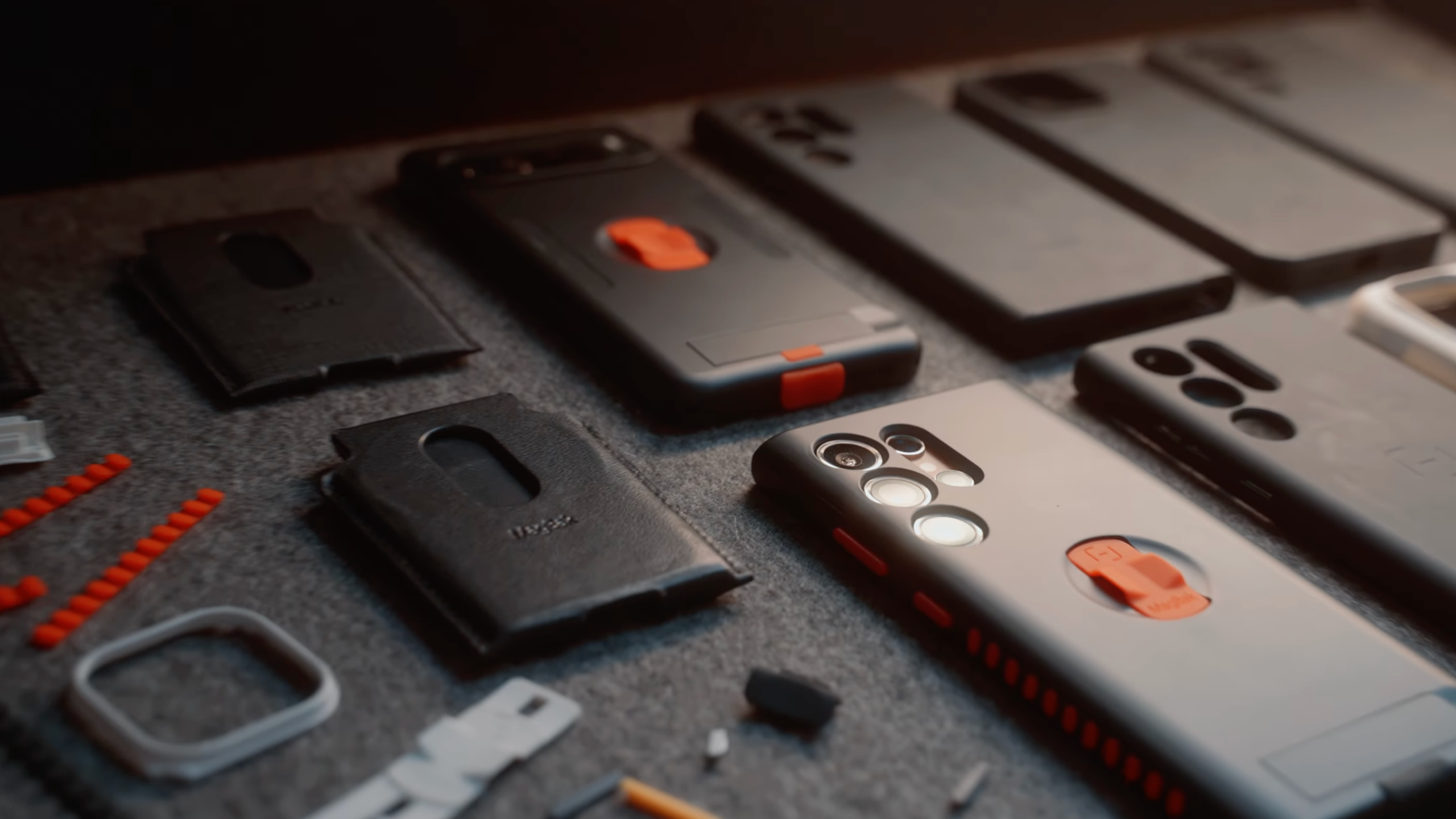
The first accessory most people buy after a new phone is a case. Not the most exciting purchase, but easily the most important. A good case protects the phone without making it feel bulky, awkward, or annoying to use. This is the one that’s been on my phone for the past few years.
Why I Keep Coming Back to MagBak
This will be the third or fourth year running that a MagBak case has been on my phone. I've tried plenty of others. I always come back to this one. And this year there's an extra reason to consider it: the S26 lineup has no built-in magnets for wireless charging, which means if you want to use any MagSafe-style accessories, you need a case that adds them. MagBak does exactly that.
I also reached out to MagBak about sponsoring this article, and they agreed. Full disclosure there. But the reason I approached them is because I've been using their cases on practically every phone they make one for. The sponsorship came after the loyalty, not the other way around. And for the first time this year, they have cases for both the S26 Ultra and the S26 Plus.
The case is thick enough to protect your phone from drops at different heights and angles, covers the screen edges and cameras, and comes with an included screen protector and installation tool. It's also customizable, so you can grab accent packs to swap out colored parts and change the look to suit your style.
The Features That Make It Worth It
The magnetic system is the real reason I keep using MagBak. Strong enough to stick to any magnetic surface, which sounds like a gimmick until you actually start using it.
At the gym, I stick my phone to the cable machine or any metal surface and keep it in easy reach during a workout. In the kitchen, it goes on the fridge or the oven hood while I'm cooking. In the car, it locks onto a magnetic mount without any fiddling. Finding a metal surface to use as an improvised stand for a quick photo or video is one of those things that sounds small but becomes genuinely useful all the time.
Beyond the magnets, there's a magnetic kickstand built into the case, a pinky pillow that covers the charging port for extra water protection, and a tuck-away finger loop. The combination of all of these in one case is what keeps it on my phone year after year.
Screen Protectors: Do You Actually Need One?
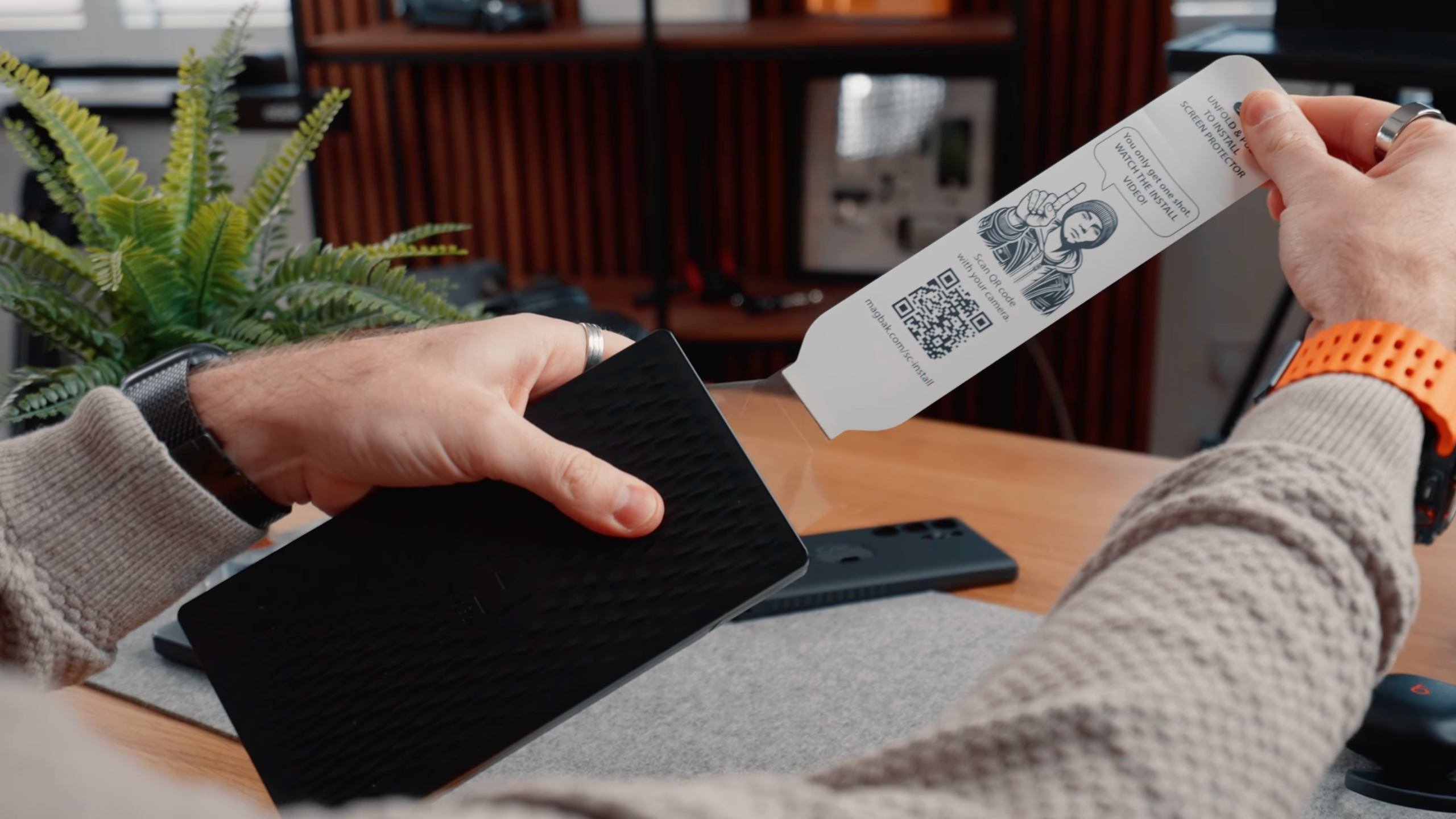
Screen protectors are one of those accessories people have strong opinions about. Some won’t use a phone without one. Others trust the glass and skip it entirely. The truth is, it depends on how you use your phone and what you care about most.
My Honest Take on Screen Protectors
The S26 Ultra includes the Privacy Display feature this year, which hides your screen from anyone looking at it from the side. That still works with a screen protector on, so it's not a reason to skip one. The question is whether you need one at all.
If you tend to pick up mysterious scratches or you're prone to dropping your phone, a screen protector is worth it. If you're careful with your phone and you trust the Corning glass to do its job, skip it. The glass on the S26 is genuinely good.
The MagBak case includes a screen protector and an installation tool that makes fitting it much easier than the usual bubble-and-misalignment nightmare. Most years, that's what I use.
One thing worth knowing: the S26 has an anti-glare coating on the glass. Fitting a third-party screen protector does affect that coating somewhat. If you want to keep the anti-glare and anti-reflective properties, Samsung sells their own screen protector that includes the same coating. It costs more than a generic option, but if you care about glare reduction, it's the one to get.
Wallets: The One I Actually Carry
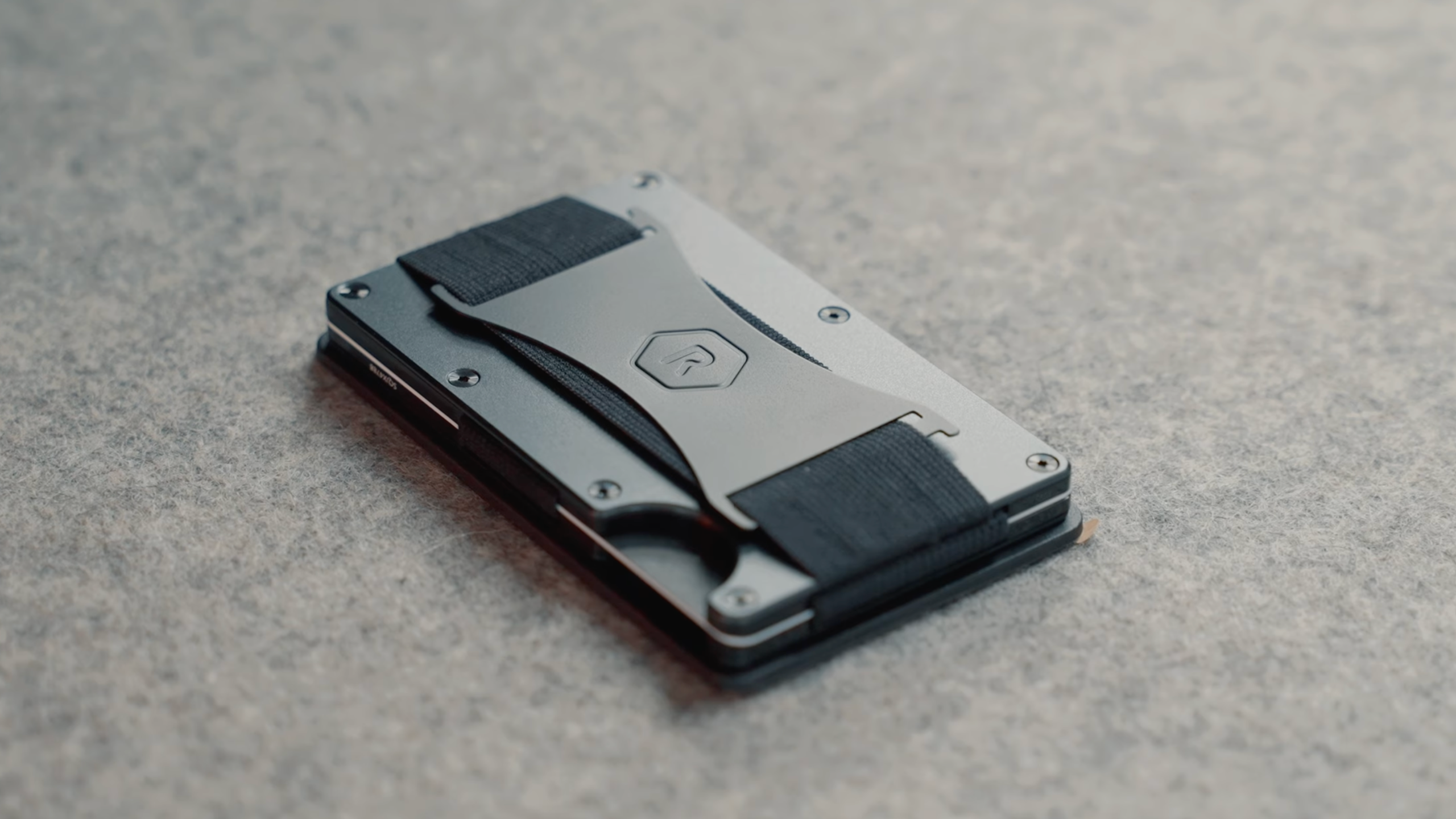
A lot of people have stopped carrying wallets altogether thanks to contactless payments. But depending on where you live or travel, there are still plenty of situations where you need physical cards. If you’re going to carry one, it might as well work well with your phone.
Why the MagBak Wallet Works
I've tried a lot of wallets. The Ridge Wallet was overpriced and genuinely uncomfortable if you sat on it. Various fabric and leather options from the usual brands. I've ended up back with the MagBak wallet, and this one isn't sponsored, I'm recommending it because it works well with the case.
When you pair the MagBak wallet with the MagBak case, the combined magnets make them practically inseparable. The wallet doubles as a second kickstand. You can personalize it with your initials. There's a finger loop on the wallet itself, so when the phone feels a bit bulkier with the wallet attached, the combination of the loop and the magnets makes it feel secure and comfortable to hold. I normally carry five to seven cards in mine, and the leather material patinas nicely over time; it softens up and makes it easier to pull out the card you need.
Some people don't carry wallets anymore. If you pay by phone everywhere, you might not need one. But if you travel internationally, there are still plenty of places that only take physical cards. Worth having one that actually works with your case.
Chargers: One for Every Scenario
The S26 lineup has upgraded charging speeds this year with Super Fast Charging 3.0.
The S26 and S26 Plus support 45W wired charging. The S26 Ultra goes up to 60W wired. For wireless, the S26 gets 15W, the S26 Plus gets 20W, and the S26 Ultra gets 25W via Qi2.2. No built-in magnets though, which is why the MagBak case matters for wireless charging accessories.
Here's what I use across different scenarios.
The Wall Charger: Anker 140W
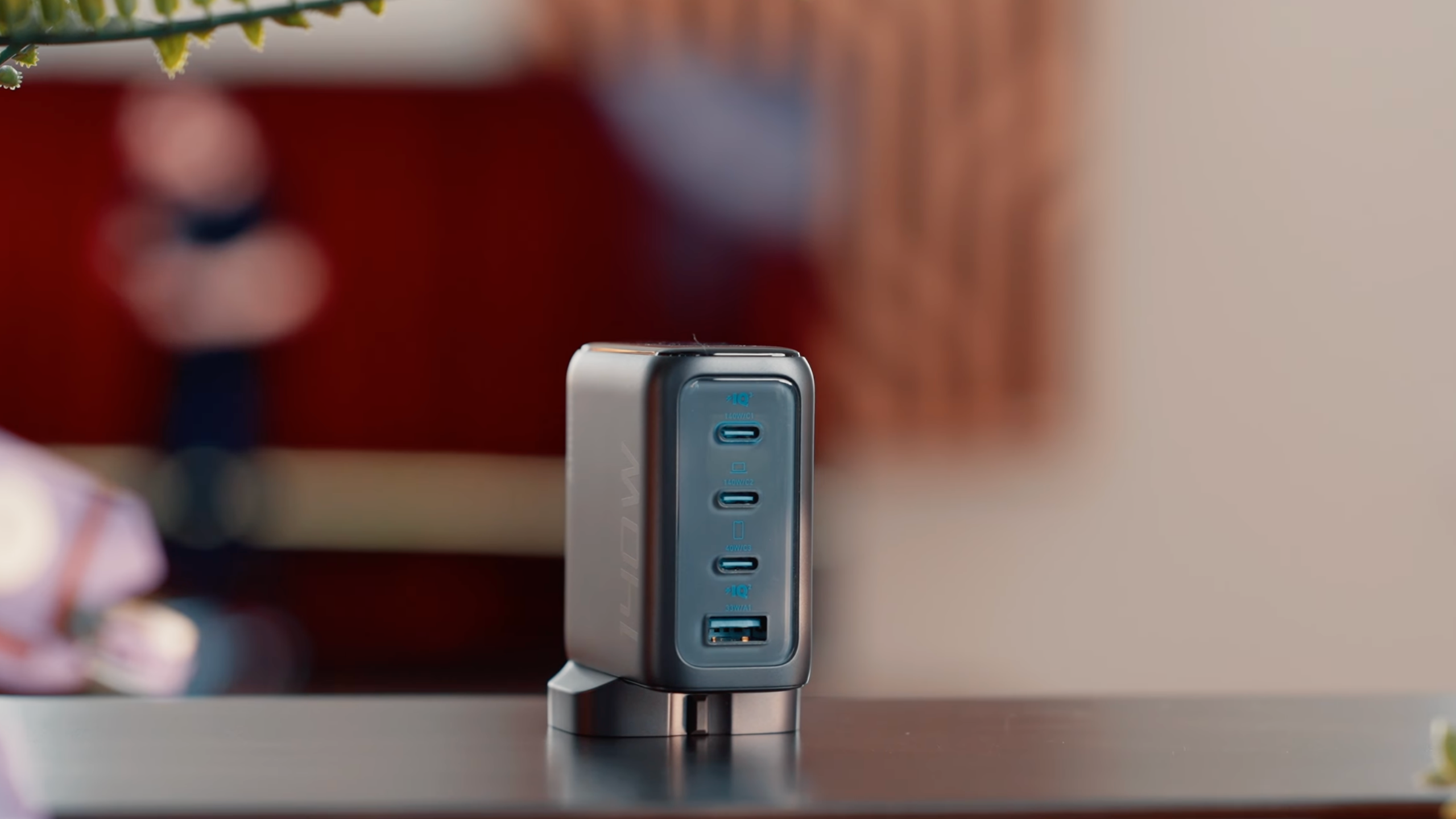
Samsung makes their own 60W charger, which covers the maximum wired speed for all three S26 models. But if you want one charger that handles everything (phone, laptop, tablet, headphones) the Anker 140W USB-C charger is the one I reach for.
It has two USB-C ports capable of up to 140W combined (not simultaneously at full speed), a third USB-C port at 40W, and a USB-A port at 33W. There's a small screen on the front that shows the current wattage output, which is more useful than it sounds. When you're charging multiple devices and want to know which one is getting priority power, that screen tells you instantly.
The Desk Charger: ESR Qi2.2 3-in-1
At my desk, I use the ESR Qi2.2 3-in-1 Charging Station. This is where having a case with magnets becomes important. The MagBak case lets me use any MagSafe-compatible wireless charger, including this one. The 3-in-1 charges my phone, my earbuds, and my watch simultaneously. I've been back on the Apple Watch recently, so all three slots are in use. If you don't need the watch pad, you can simply remove it.
The charger also has a built-in cooling fan. When you're charging the S26 Ultra at the full 25W, heat builds up and the phone can throttle charging speed to protect itself. The fan prevents that. It's a small detail that makes a real difference to how reliably the phone charges at full speed.
The Car Charger: ESR Qi2.2 Wireless Mount
ESR also makes a Qi2.2 wireless car charger with the same cooling fan, which makes even more sense in the car where direct sunlight can push phone temperatures up quickly. Between the desk charger and the car charger, my phone is essentially always topped up. I don't think about battery life at home because I know it's charging whenever I'm at my desk or in the car.
The Power Bank: Anker 25,000mAh
For travel, I carry the Anker 25,000mAh power bank, which outputs up to 165W. On a recent long-haul flight, it charged my wife's headphones, my kids' iPad, my phone, and my gaming handheld, and it wasn't even fully charged when I left. That's the kind of real-world performance that makes a product worth recommending.
It has two integrated USB-C cables; one that retracts into the top and one that doubles as a carrying loop. The same wattage display screen from the wall charger is on this one too, showing total output and per-device wattage. A lot of my creator friends use this specific power bank, and the feedback is consistently the same: it's one of the best charging products they've used.
Audio: Two Options for Different Situations
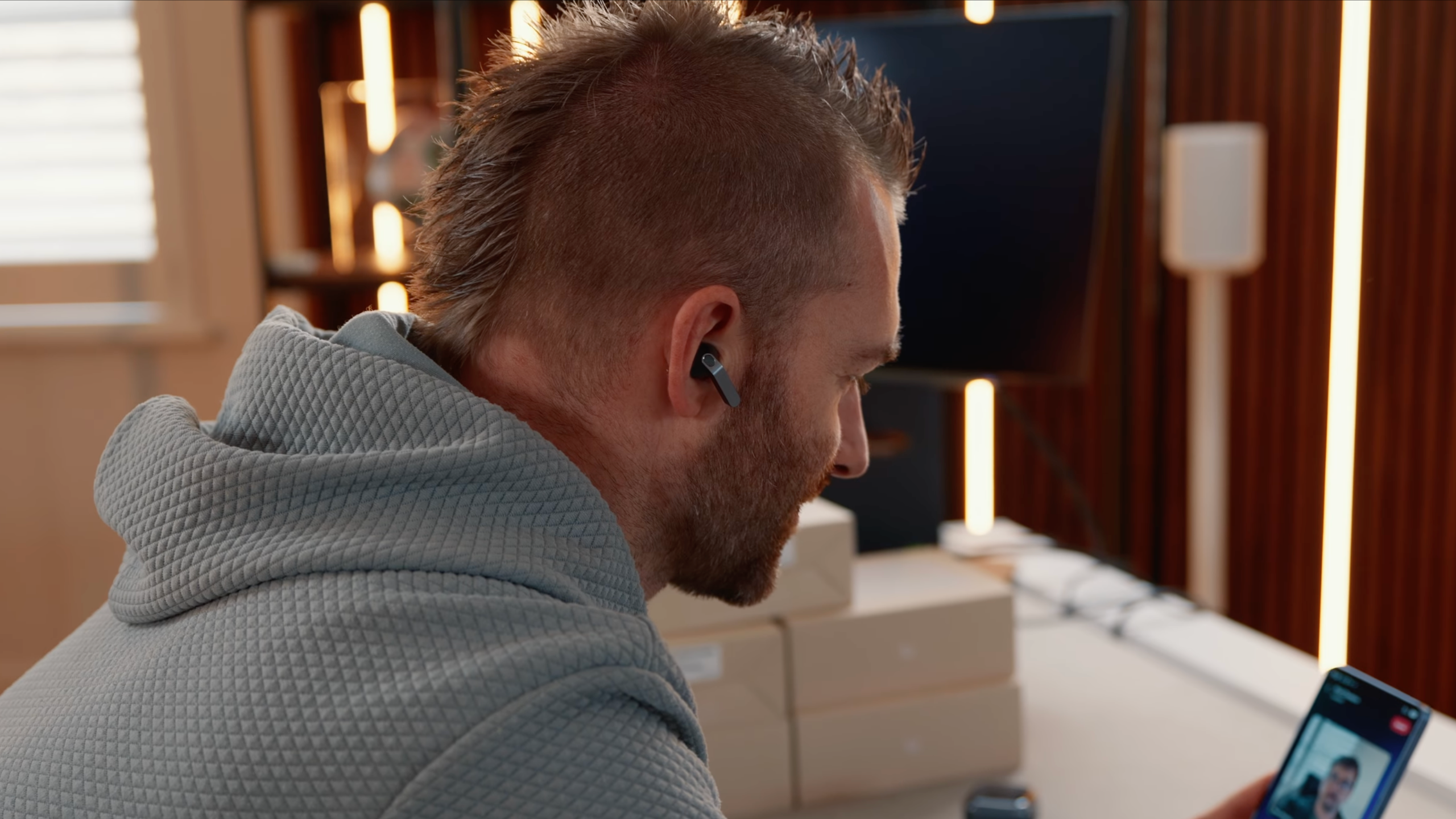
Earbuds are one of those accessories where a single pair rarely covers everything. The ones that are perfect for commuting or calls aren’t always the best choice for the gym. So I tend to keep two pairs for different situations.
Galaxy Buds 4 Pro (For Everyday Use)
The obvious choice if you're in the Samsung ecosystem is the new Galaxy Buds 4 Pro. The design is noticeably sleeker this year compared to the triangular shape of the previous generation, I prefer it. The audio specs are solid: a 20% larger woofer than last year's Buds Pro, 24-bit/96kHz audio, and Adaptive ANC. Call quality is reportedly double that of most competing earbuds, which matters if you take a lot of calls.
Battery life is 6 hours with ANC enabled and 20 hours total including the case. They fast pair with Samsung devices and give you quick access to controls from the notification shade. There's an interpreter mode for live translation when traveling, head gesture controls, and configurable controls for reading out notifications and messages.
This year, with the S26 specifically, you can trigger your chosen AI assistant directly from the buds, including Perplexity, Gemini, and Bixby.
The one limitation worth being honest about: they're not great for exercise. I keep hearing that Samsung scanned millions of ears to perfect the fit, but earbuds fall out during movement. It's a known issue with in-ear designs. For the gym or any workout, I use something else.
Powerbeats Fit (For Working Out)
The Powerbeats Fit are my go-to for any form of exercise. They stay in no matter what I'm doing; running, lifting, anything. They're small enough to throw in a gym bag without thinking about it. Sound quality is good, noise cancellation is solid, and battery life is strong. A five-minute charge gives you enough for an hour-long workout.
They don't have all the features of the Galaxy Buds 4 Pro; no adaptive noise cancellation, no Samsung ecosystem integration. But for exercise, those things don't matter. What matters is that they stay in your ears and sound good while you're moving. The Powerbeats Fit do both.
Tracking: Galaxy SmartTag 2
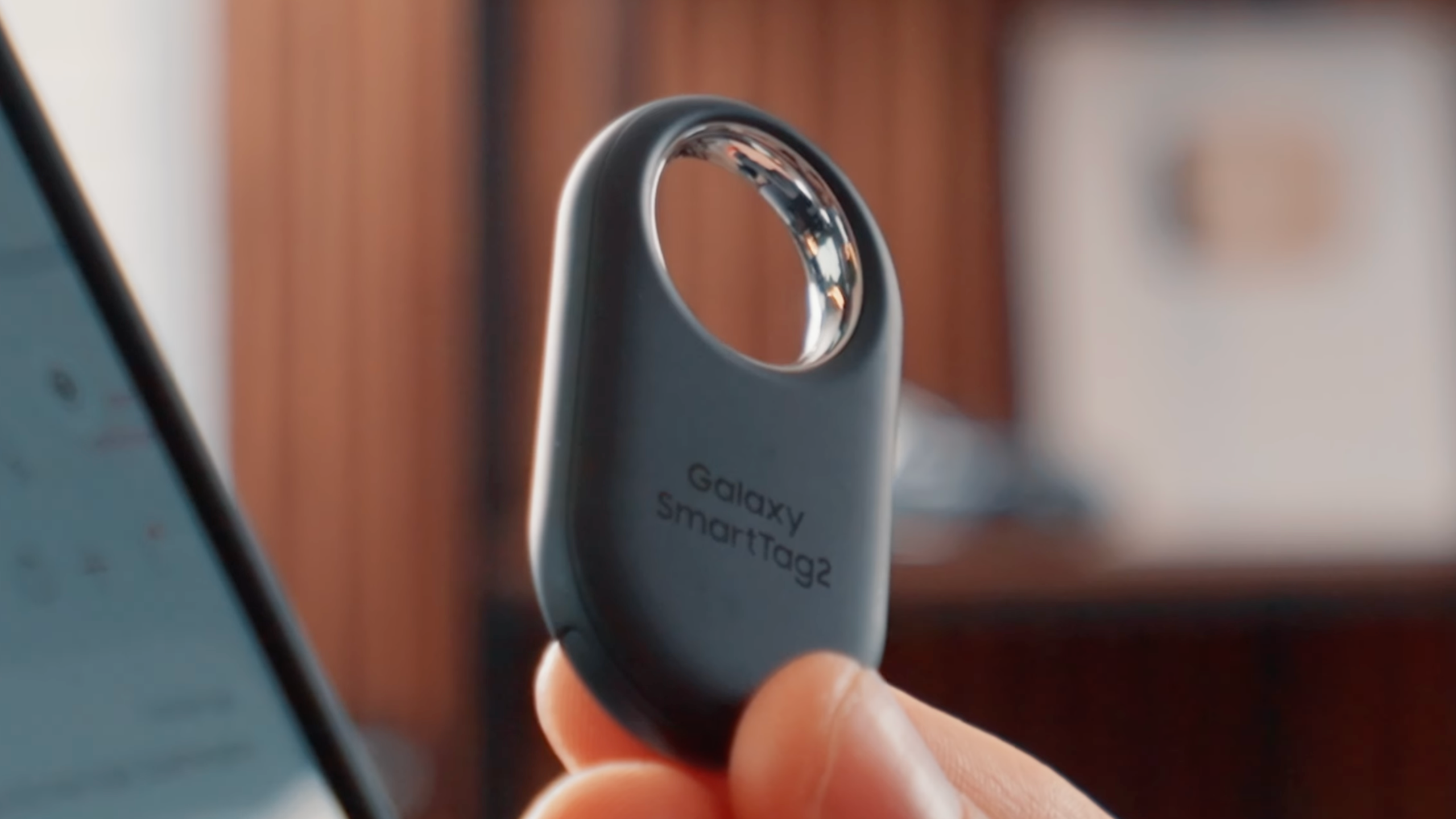
The Galaxy SmartTag 2 is the one accessory I'd call genuinely essential for anyone who travels. It's Samsung's equivalent of an Apple AirTag. I've had my luggage not make it onto a plane more than once, and being able to show airport staff exactly where my bag was (on the screen of my phone) has saved me from lost luggage situations multiple times.
Beyond travel, they work for keys, wallets, cars, and anything else you want to keep track of. They use Ultra-Wideband for precise location tracking, so you can get accurate directional readings rather than just a general area.
The feature that sets Samsung's SmartTags apart from AirTags is the physical button. You can configure it to find your phone, trigger a SmartThings action, open a garage door, or switch off lights. Having that kind of smart home control accessible from your keychain, without pulling out your phone, is genuinely useful.
Wearables: Galaxy Watch 8 and Beyond
If you’re already in the Samsung ecosystem, a smartwatch is one of the easiest ways to extend what your phone can do. Notifications, health tracking, quick actions, and even controlling parts of your phone without touching it all become much more convenient from your wrist.
Galaxy Watch 8 (The One I'm Using Now)
After spending a few years on larger Ultra-class watches, I've settled back on the smaller Galaxy Watch 8. You charge it more frequently (battery life is around 30 hours), but the compact form factor is worth it for everyday wear.
The screen hits 3,000 peak nits, so it's readable in any light conditions. You get all the health tracking you'd expect: steps, sleep apnea detection, early signs of heart disease, and full workout tracking. Notifications and replies work well. The quick button on the side is configurable to launch a workout or a specific app.
The standout feature for me is Gemini access directly from the watch. It gives you a smart assistant with full access to your calendar, emails, and everything else. I know not everyone is comfortable with that level of access, and that's a fair concern. But for how I work, having Gemini on my wrist is genuinely useful.
With the S26 Ultra's S Pen no longer supporting Bluetooth remote camera triggering this year, the Galaxy Watch fills that gap nicely; you can trigger the camera remotely from your wrist.
The Garmin Alternative
If fitness tracking is your priority over smart features, Garmin watches are worth considering. The battery life is in a completely different league compared to any Samsung or Apple watch, some models last weeks on a single charge. The smart features are limited, but for pure fitness tracking, Garmin is second to none.
Watch the Video
If you’d prefer to see all of these accessories in action, I walk through my full Galaxy S26 setup in the video below, including the case, charging setup, audio options, and the small accessories that make the biggest difference day to day.
I also talk through why I keep coming back to some of these products year after year, and which ones are genuinely worth spending money on if you’ve just picked up a new S26.
The S26 Accessories That Are Actually Worth Buying
The best Galaxy S26 accessories aren't the ones with the most features on paper. They're the ones that become invisible; that you stop noticing because they just work.
- The MagBak case has been on my phone for four years because it solves real problems without creating new ones.
- The Anker power bank goes in my bag every time I travel because I know it won't let me down.
- The Galaxy SmartTag 2 on my luggage has saved me from lost bag situations more than once.
My advice if you’re setting up a new S26? Start with the basics (a good case and charger), then add the extras that actually fit how you use your phone.
More From Pete Matheson
If you found this guide helpful, I publish new videos every week covering tech, setups, and the gear I actually use day to day. Many of the accessories I mentioned here are things that have stayed in my setup for years rather than products I tried for a week and moved on from.
I’ve also recently been testing different wearables and fitness devices, including Garmin watches and how they compare to traditional smartwatches. If that’s something you’re curious about, I made a full video about switching from a smartwatch to Garmin and what that experience has been like.
You can watch that video next, or explore the rest of the channel for more guides like this one.
