


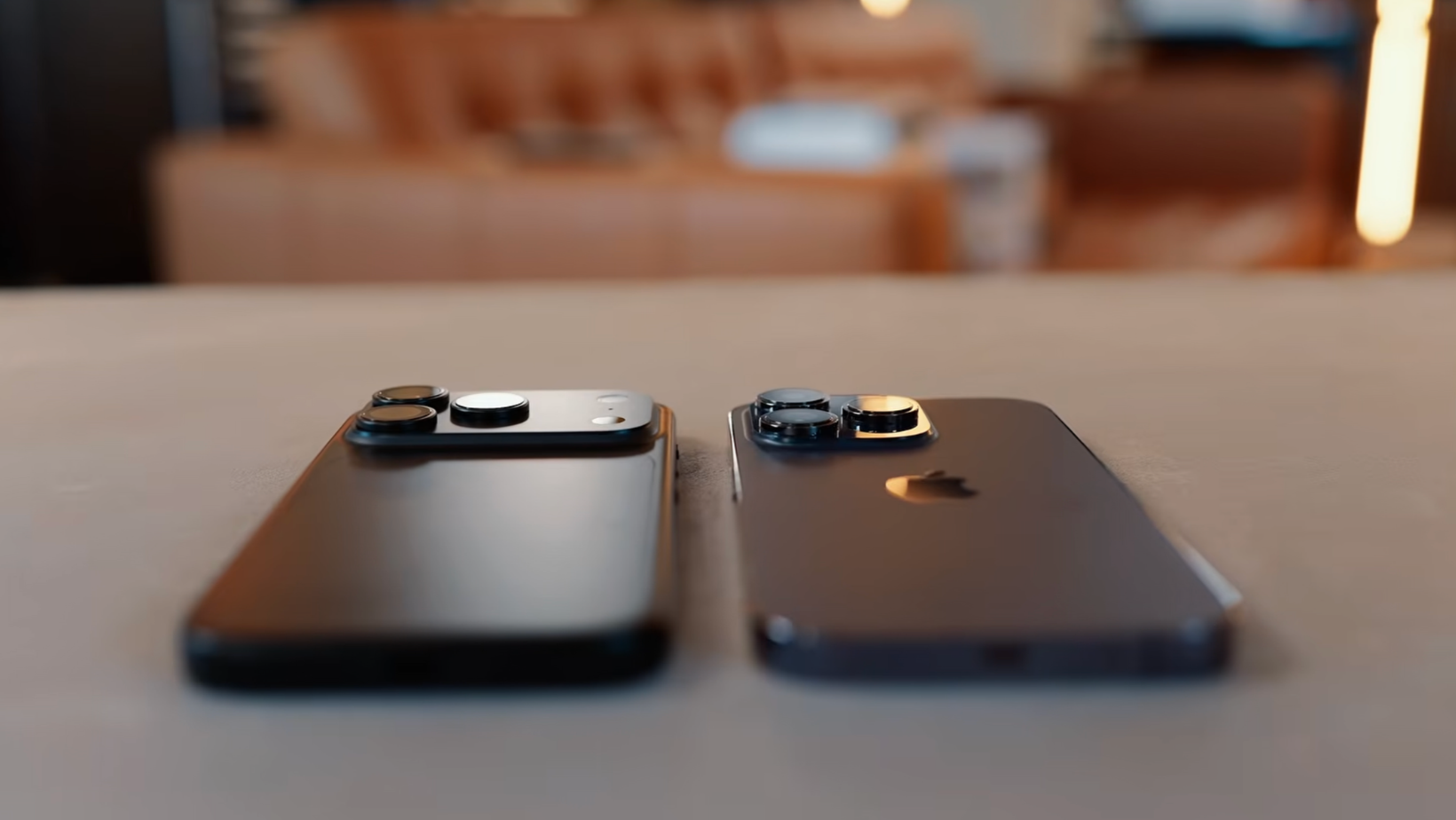
Put these phones side by side and, honestly, four years of progress looks underwhelming. The camera plateau gives the newer one away, but pick either one up and it's unmistakably an iPhone Pro. It left me asking the same question many of you will have: should I upgrade from iPhone 14 Pro to iPhone 18 Pro?
Look at the spec sheet, and this should be an easy call: newer chip, bigger battery, brighter display, better cameras, USB-C, the latest Siri. A four-year upgrade should feel enormous. Using both phones for a few weeks made the answer a lot messier than that list suggests.
A proper upgrade comparison needs more than new parts. Battery wear, your apps, and the old phone’s value can change the result.
In this blog, I’ll compare both models, show which upgrades make a daily difference, and work out who should keep the 14 Pro for another year.
What changes after four iPhone generations?
The iPhone 18 Pro gives you longer battery life, USB-C, Siri AI, faster charging, and more flexible cameras, but the day-to-day basics have barely moved. If you’re asking, “Should I upgrade from iPhone 14 Pro to iPhone 18 Pro?”, your battery condition and interest in AI will probably decide it.
The video has both phones side by side, plus camera samples and my full reaction. Watch it below to see how strangely close they look after four generations.
The iPhone 14 Pro vs iPhone 18 Pro snapshot
Here are the key figures from Apple’s iPhone 18 Pro specifications and comparison information.
On paper, that looks like a comfortable win for the 18 Pro. Real life makes it less obvious.
The design feels almost too familiar
Pick up both phones and Apple’s familiar approach is obvious. The 18 Pro is a little larger and heavier, and the camera Plateau changes the back, but it doesn’t feel four years newer.
USB-C changes more than the shape
The move away from Lightning sounds boring until you need a charger. Friends with older iPhones still send me digging through a drawer for the last Lightning cable I haven’t lost. One USB-C cable can now charge your iPhone, iPad, MacBook, and headphones.
USB-C also supports transfers at up to 10Gbps on the 18 Pro. The 14 Pro’s Lightning port reaches 480Mbps. If you move large video files, that difference is enormous.
AirDrop remains wireless, so a cable doesn’t create wired AirDrop. It still supports faster direct transfers and new-phone migration.
Daily use feels surprisingly close
This is where Apple would probably like me to say the A20 Pro changes everything. In normal use, the 14 Pro still handles messages, email, YouTube, and social media without feeling ancient.
Both displays still look excellent
Both phones have ProMotion and an Always-On display. Put the same app on each one indoors, and you may struggle to tell which screen is newer.
The 18 Pro pulls ahead outdoors. Its display reaches a 3,000-nit outdoor peak, compared with 2,000 nits on the 14 Pro. The newer vapor chamber helps it stay brighter on warm days. That’s useful, but the 14 Pro screen still looks great.
The A16 still handles normal tasks
The A20 Pro is much stronger, but nobody opens Mail and celebrates the extra graphics power. You’ll feel the difference during demanding games, long editing sessions, and jobs that push the cooling system harder.
Battery life creates the biggest gap
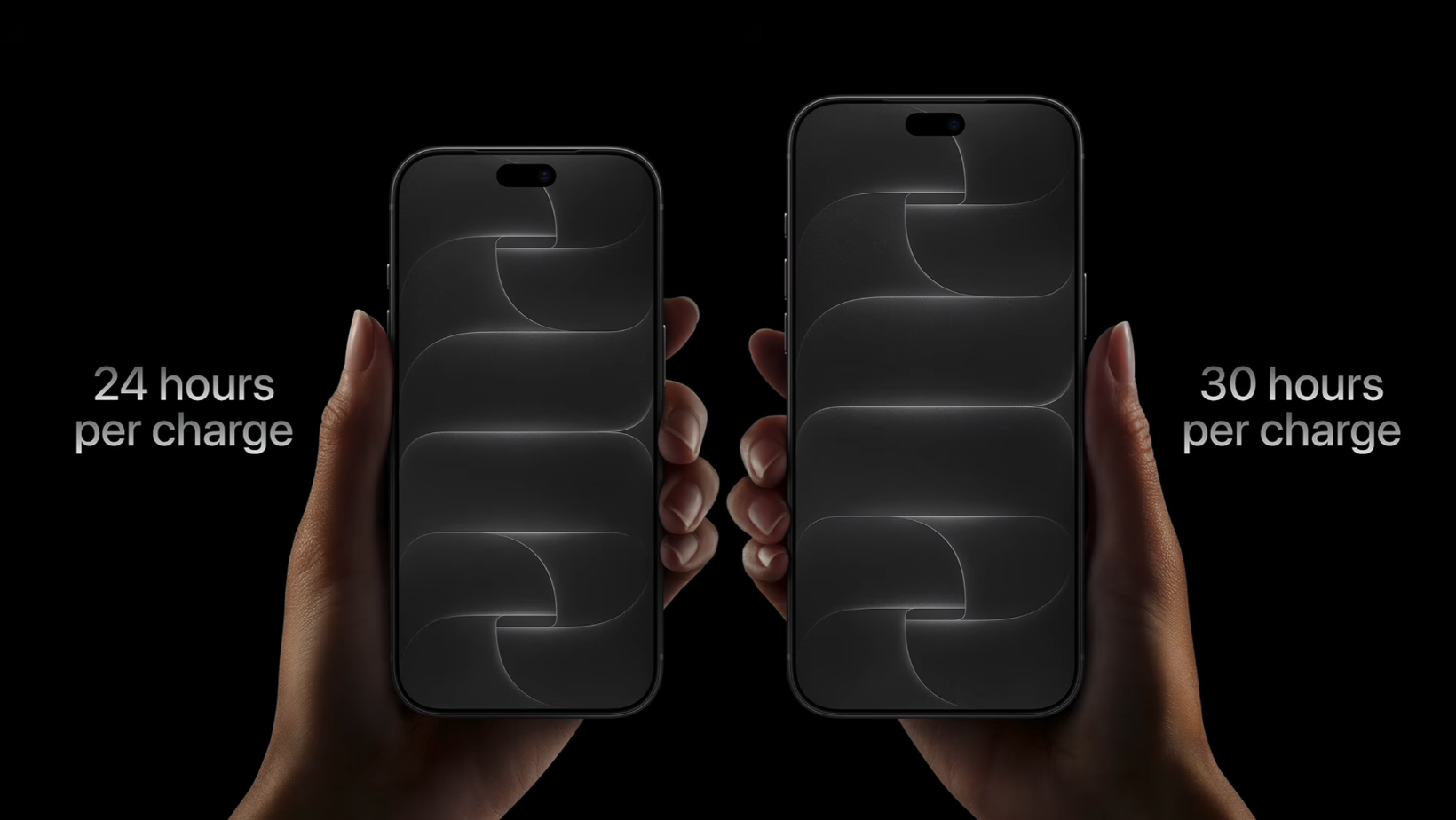
Battery condition can completely change the answer to, “Should I upgrade from iPhone 14 Pro to iPhone 18 Pro?” Apple rated a new 14 Pro for up to 23 hours of video playback, but your battery has spent four years being charged, drained, and charged again.
Four years of battery wear count
The 18 Pro is rated for up to 34 hours of video playback. The iPhone 18 Pro Max reaches up to 43 hours, although that giant isn’t our focus. Your 14 Pro has probably been through hundreds of charging cycles, so the real-world gap is likely bigger than Apple's numbers let on.
Before ordering a new phone, price a new battery. Consumer Reports’ phone battery replacement advice says it can make sense when the device remains in good condition. Compare Apple’s current service estimate with a reputable local shop before spending £1,199.
Faster charging helps in a rush
The 18 Pro supports MagSafe and Qi2 charging at up to 25W, compared with 15W MagSafe on the 14 Pro. Wired charging can reach 50% in around 15 minutes with a compatible 60W USB-C power adapter. The 14 Pro takes around 30 minutes. That extra wait feels much longer when you should already be leaving.
TORRAS makes travel charging smaller
This video is sponsored by TORRAS. The TORRAS FlashEye Dot identifies the connected device, matches the power, and shows charging progress on its small display. Tap the top, and it pulls a face at you. There’s even a Pomodoro timer, because apparently my charger now manages time better than I do.
The TORRAS FlashEye 2-in-1 Charger charges an iPhone and Apple Watch together while managing heat. It weighs around 80 grams and is roughly the size of an AirPods Pro case, making it easy to pack.
Siri AI draws a hard line
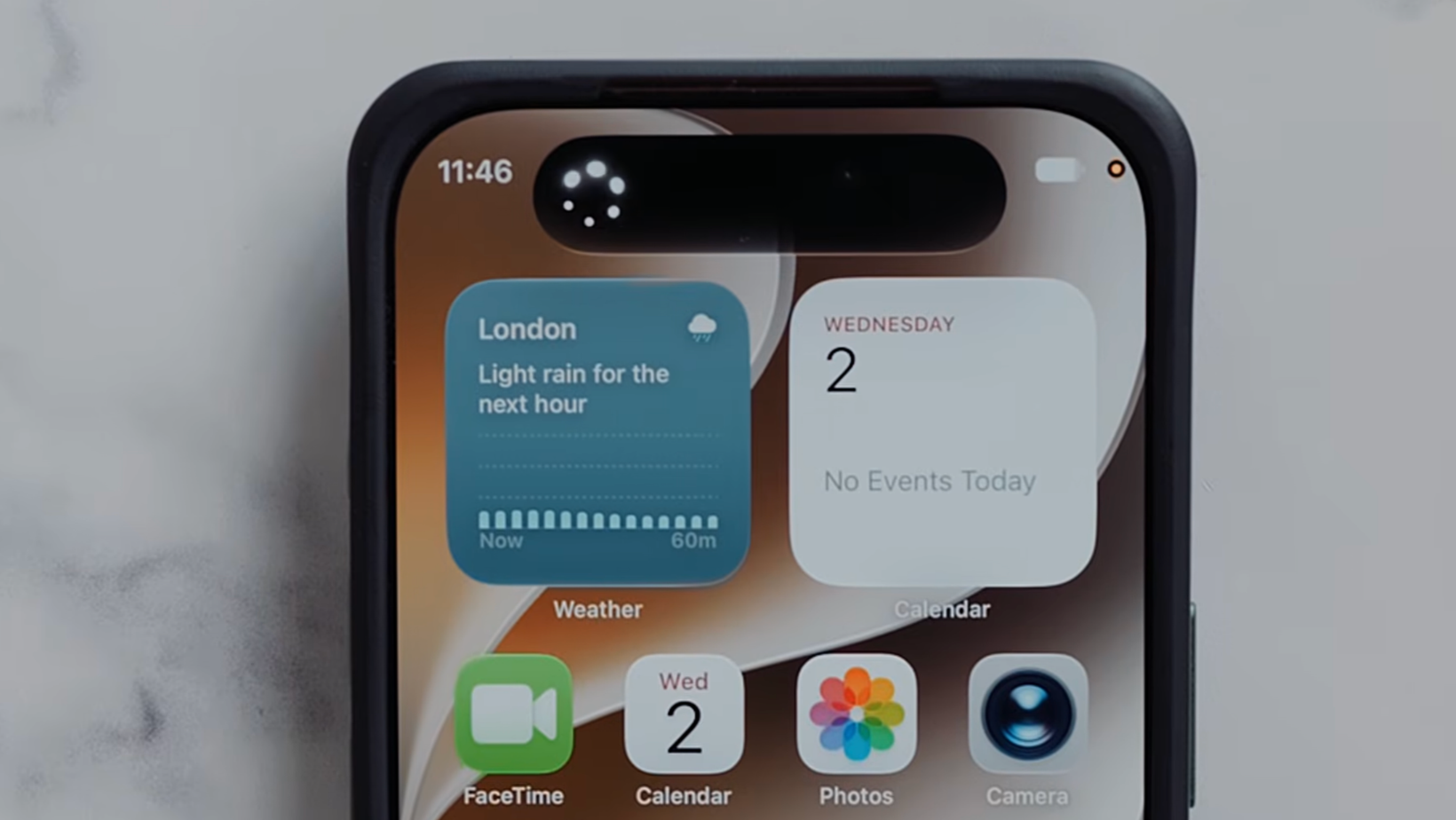
Now we get to the word we’ve all come to love or hate: AI. The iPhone 14 Pro cannot run Apple Intelligence or Siri AI, and an iOS update won’t close that gap.
The iPhone 14 Pro misses Siri AI
Apple Intelligence started as a bit of a joke, and I can happily live without most of its image tools. Siri AI is easier to defend. It can search messages, emails, and photos using natural questions, then find an old receipt, pull up booking details, or locate something a friend mentioned months ago.
Apple describes Siri AI as powered by Apple Intelligence. Its latest foundation models were developed using Google's Gemini. So, no, Siri hasn’t become Gemini wearing an Apple T-shirt.
Availability varies by language and region, so check support first.
Games show the performance gain
Heavy mobile gamers have another reason to consider the 18 Pro. The faster CPU and GPU, larger battery, and improved cooling help during demanding games. If you play the odd game while waiting for a train, the A16 is still fine.
The camera upgrade needs context
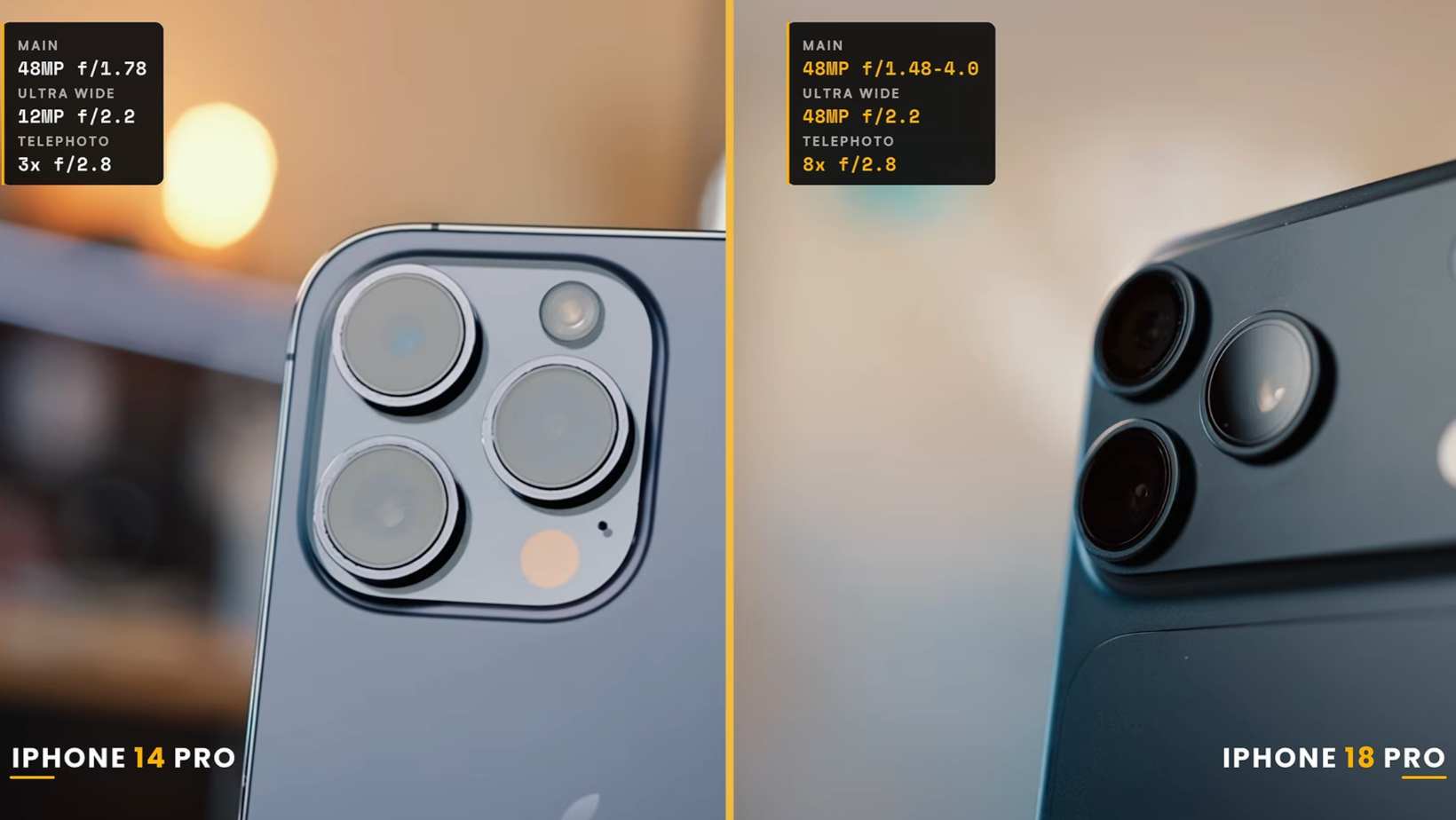
Cameras are a big part of this decision for me. As a parent, I want memories of my kids to look good years later. That makes the iPhone 14 Pro vs iPhone 18 Pro camera comparison personal, yet the result is still less dramatic than expected.
Variable aperture is a smaller win
The 18 Pro adds a physical variable aperture to its 48MP main camera, with f/1.48, f/1.8, f/2.8, and f/4.0 settings. That sounds very clever, and it can help in difficult conditions. Most photos from the 14 Pro still hold up well.
Zoom helps with kids and events
The 14 Pro has a 3x optical telephoto camera. The iPhone 18 Pro has a 48MP Fusion Telephoto camera at 4x. Its 8x optical-quality option crops into that sensor and produces 12MP images.
That extra reach helps at children’s sports and gigs. A usable photo from your seat is often better than a detailed photo of somebody else’s head.
The selfie camera changes more
The square Center Stage sensor frames portrait or landscape selfies without turning the phone. It sounds tiny, but I’ve enjoyed it far more than expected. The 18 Pro also captures spatial photos and videos for Apple Vision Pro and compatible headsets.
Siri mode now sits inside the Camera app too. Point it at something, tap the shutter button, and ask Siri about what it sees. I’ll take that over another novelty image generator.
The price looks better on paper
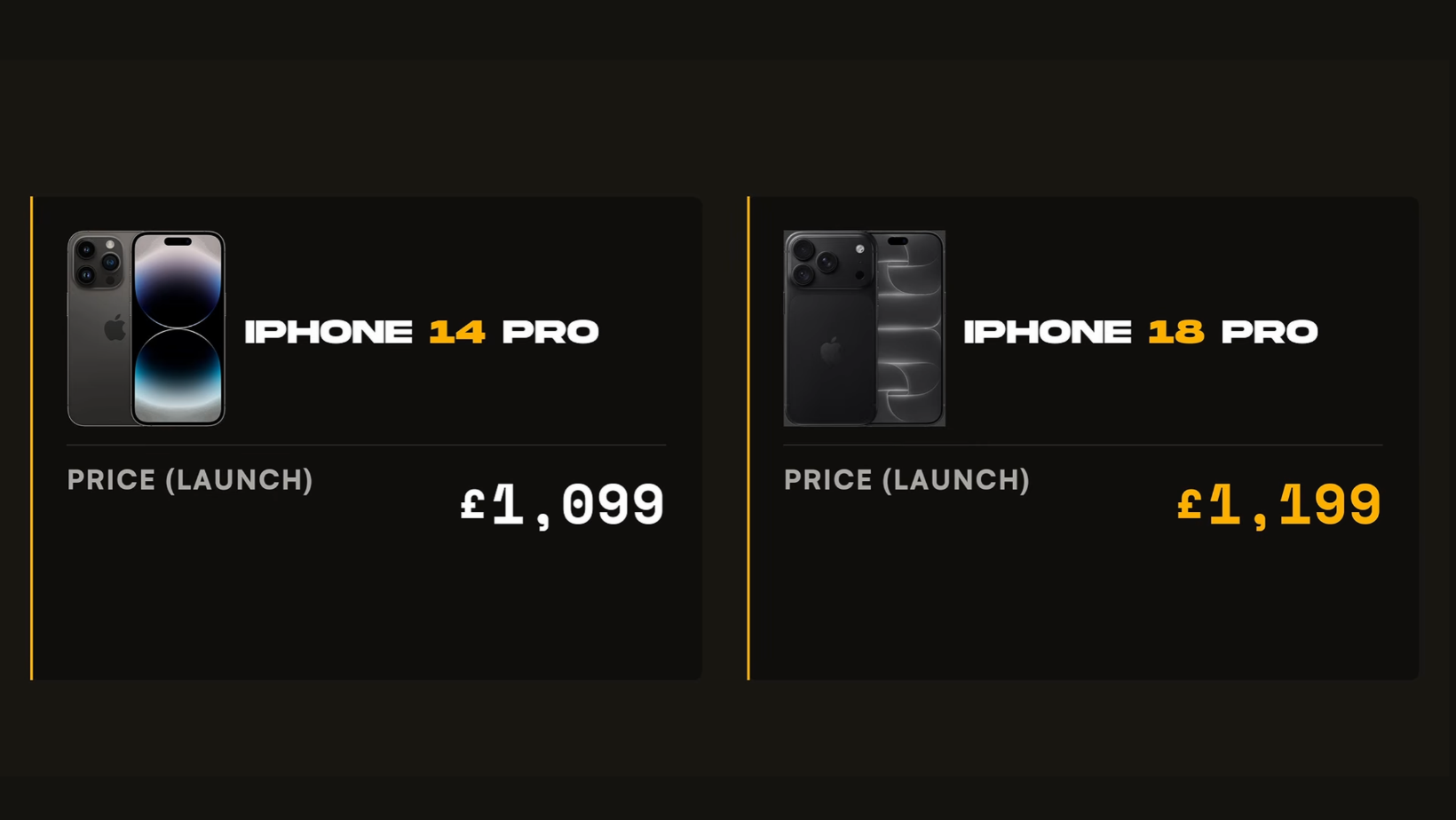
Then Apple hands you the bill. The 14 Pro launched at £1,099 in the UK, while the 18 Pro starts at £1,199.
More storage softens the increase
The £100 increase is almost annoyingly reasonable once you notice that starting storage has doubled. You now get 256GB instead of 128GB. Fair enough, Apple, but £1,199 is still a lot of money.
I bought this used 256GB 14 Pro through Amazon for around £420. That isn’t a guaranteed resale value, but it does make the brand-new phone look very expensive beside it.
Selling your old phone helps
For anyone asking, “Should I upgrade from iPhone 14 Pro to iPhone 18 Pro?”, the old phone’s value could decide it. A private sale may beat Apple Trade In, while carrier offers or finance can reduce the upfront cost. Check the total before a friendly monthly figure talks you into something silly.
My iPhone buyer’s guide covers the wider problem of choosing the right model without letting Apple’s storage ladder pull you into spending more than planned.
Should I upgrade from iPhone 14 Pro to iPhone 18 Pro now?
Upgrade if your battery is failing, you’re fed up with Lightning, or you’ll use Siri AI. Keep the 14 Pro if it lasts through the day, and those changes don’t fix a regular annoyance.
Upgrade for battery and USB-C
A worn battery can make the 18 Pro feel like a much larger upgrade than Apple’s figures suggest. USB-C also ends the daily hunt for a Lightning cable if your other devices have already moved on.
Upgrade for Siri AI
Siri AI gives the 18 Pro something the 14 Pro will never receive. It makes the strongest case for people who regularly hunt through emails, messages, photos, and booking details. If that sounds like your average Tuesday, you may use it more than you expect.
Keep the iPhone 14 Pro if it works
Speed, screen quality, and general camera performance have improved less than I expected. The 18 Pro costs almost three times what I paid for this used 14 Pro. If yours still feels fast and the battery is healthy, I’d keep the money and wait.
If you buy the iPhone 18 Pro
dbrand sponsored the end of the video with its thin MNML range. The dbrand MNML Kickstand Wallet and dbrand MNML Slim Wallet hold three cards. There’s also a dbrand MNML AirPods Case and dbrand MNML Phone Case in black, navy, tan, or burgundy.
My iPhone 17 accessories guide has more cases, chargers, and add-ons for setting up a newer iPhone.
Your iPhone 14 Pro may have another year
After comparing both phones, my answer to “Should I upgrade from iPhone 14 Pro to iPhone 18 Pro?” is probably less exciting than Apple would like. Most iPhone 14 Pro owners can wait. The 18 Pro is clearly better, but the changes you’ll feel every day are concentrated around battery life, USB-C, and Siri AI. Its screen, speed, and cameras haven’t left the older phone behind.
Upgrade if one of those changes fixes a problem you’re already tired of. If your 14 Pro still lasts the day and does everything you need, replace the battery when the time comes and keep your money. Apple will still be there next September.
For more honest tech experiments that go past the launch-day hype, join the Experiments in Progress newsletter.
Frequently asked questions
Still deciding? These are the short answers I’d want before spending the money.
Should I upgrade from iPhone 14 Pro to iPhone 18 Pro?
Upgrade if your battery is badly worn, you’re ready to leave Lightning behind, or Siri AI would save you time. Keep the 14 Pro if it still performs well, and those changes don’t fix a real problem.
What is the biggest difference between them?
Battery life and USB-C create the biggest daily differences. Siri AI creates the clearest software gap because the iPhone 14 Pro doesn’t support Apple Intelligence.
Does the iPhone 14 Pro support Siri AI?
No. Apple supports Siri AI on the iPhone 15 Pro and newer compatible models, but the A16-powered iPhone 14 Pro isn’t included.
Is the iPhone 18 Pro camera much better?
The 18 Pro gives you variable aperture, longer zoom, a more flexible selfie camera, spatial capture, and Siri mode. The 14 Pro still takes strong everyday photos, so the upgrade makes more sense if you’ll use the extra reach or newer video tools.
Should I replace the battery instead?
A replacement can make more sense if battery life is your only complaint. Check Battery Health, Apple’s current service estimate, and the phone’s overall condition before replacing the whole device.
