


Buying a new iPhone always starts the same way. You pick the phone, choose the color, and then Apple presents a very tidy wall of cases, chargers, wallets, and straps. It would be easy to grab the official options and leave. The problem is that some of my favorite iPhone 18 Pro accessories come from companies Apple barely mentions.
I've used many of these iPhone 18 Pro accessories across several phones. A few have survived daily gym sessions, family trips, and my habit of carrying far too much tech. Others are newer finds from me or the team, so I'll be clear about where those recommendations came from. This video and blog are sponsored by MagBak, MOFT, Anker, INIU, and SpeakON, which paid to appear.
In this blog, I'll cover the 17 iPhone 18 Pro accessories that stood out, explain where they fit into my setup, and point out the products that make more sense for certain people.
What are the best iPhone 18 Pro accessories?
The iPhone 18 Pro accessories worth buying are the ones that protect the phone, charge it properly, or add something you’ll use every week. A strong case and compatible screen protector come first. The rest depends on how much you travel, play games, train, or use your phone for work.
One recommendation comes directly from Matt. The full video shows the products in action and gives you a better look at their size, finish, and features.
The iPhone 18 Pro accessories shortlist
Keep your phone off the pavement
I'd sort out protection before buying any clever iPhone 18 Pro accessories. The phone is expensive, and neither a smart charger nor a pair of glasses will help after it meets the pavement.
1. MagBak Elite Case
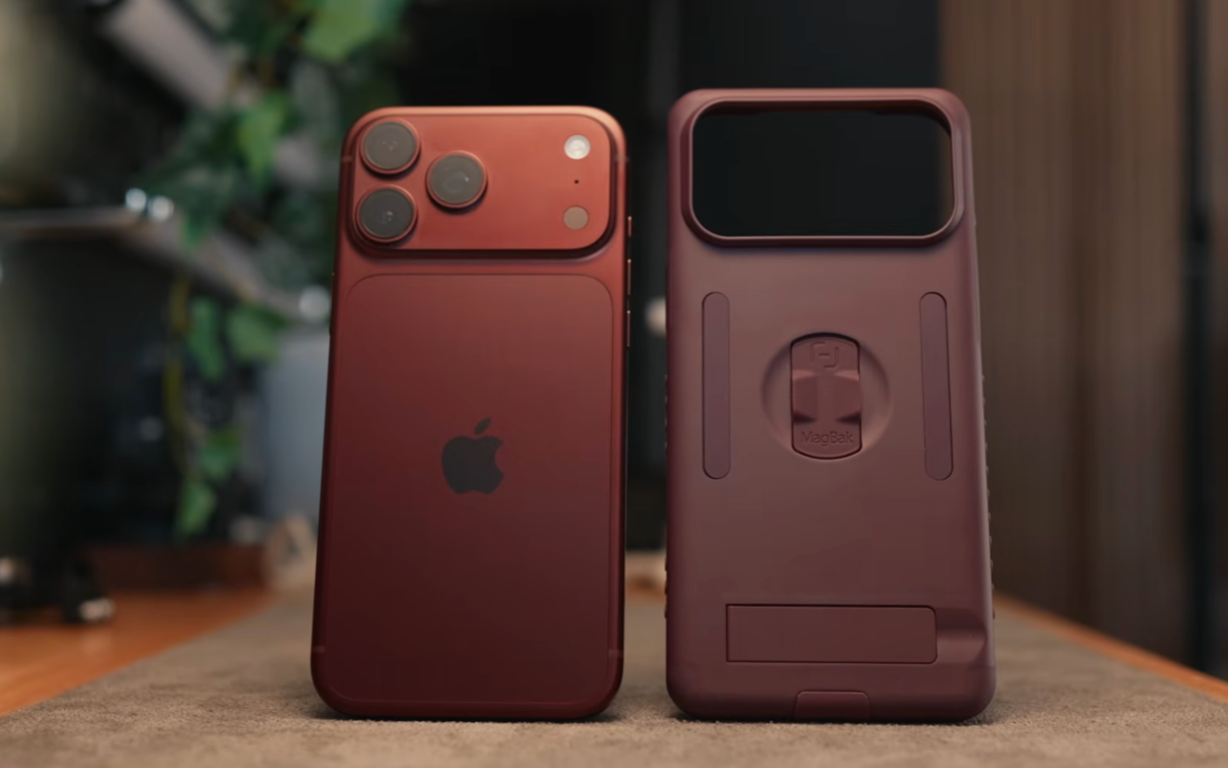
I started using MagBak cases long before this video, and I own them for nearly every supported phone because the extra magnets are useful in ways I didn't expect.
At the gym, I stick my phone to the equipment so I can follow a workout without leaving it on the floor. It stays put on my metal Secretlab desk, and I can attach it to a metal surface in the kitchen during a call. That sounded like a gimmick when I first saw it. It’s now one of the features I use most.
The Elite Case adds a finger loop, magnetic kickstand, telescoping magnets for uneven surfaces, and a small rest for your pinky. The charging-port cover helps keep lint away, and the included screen protector saves another purchase. MagBak has matching burgundy accents, straps, and wallets for this year’s phone. Code 15PETE takes 15% off through my link.
2. Mothca and ESR screen protectors
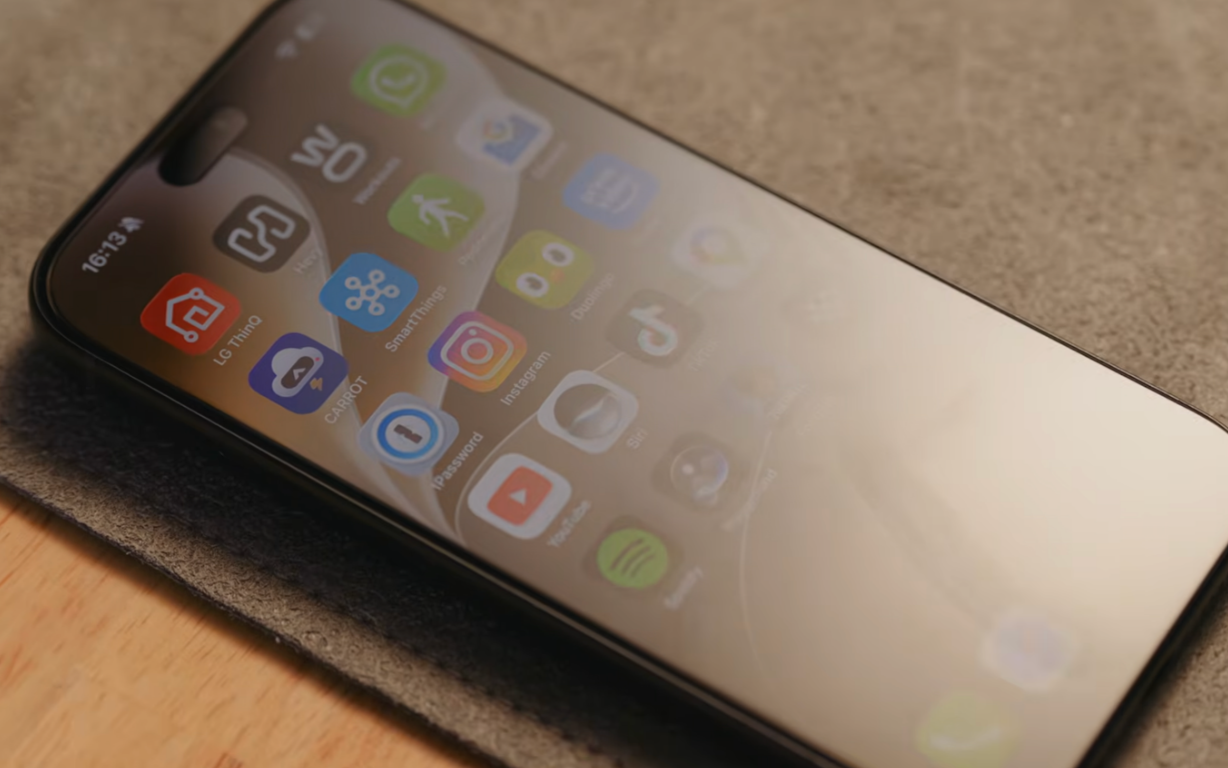
Screen protectors are the iPhone 18 Pro accessories that need the most care this year. Apple moved part of the Face ID system beneath the display to make the Dynamic Island smaller. Some matte and privacy protectors have interfered with the infrared sensor, so don’t assume an older protector will work because the glass appears to fit.
Mothca’s matte option cuts the mirror-like reflections that remain even with Apple’s improved display coating. It gives the front glass a smoother feel too. ESR’s privacy option narrows the viewing angle so the person beside you can’t easily see your messages.
Both solve a real problem, but matte and privacy protectors are the types reported to interfere with Face ID this year. Confirm Face ID works with the exact protector you buy, and choose a seller with a sensible return policy.
3. MOFT wallet and stand
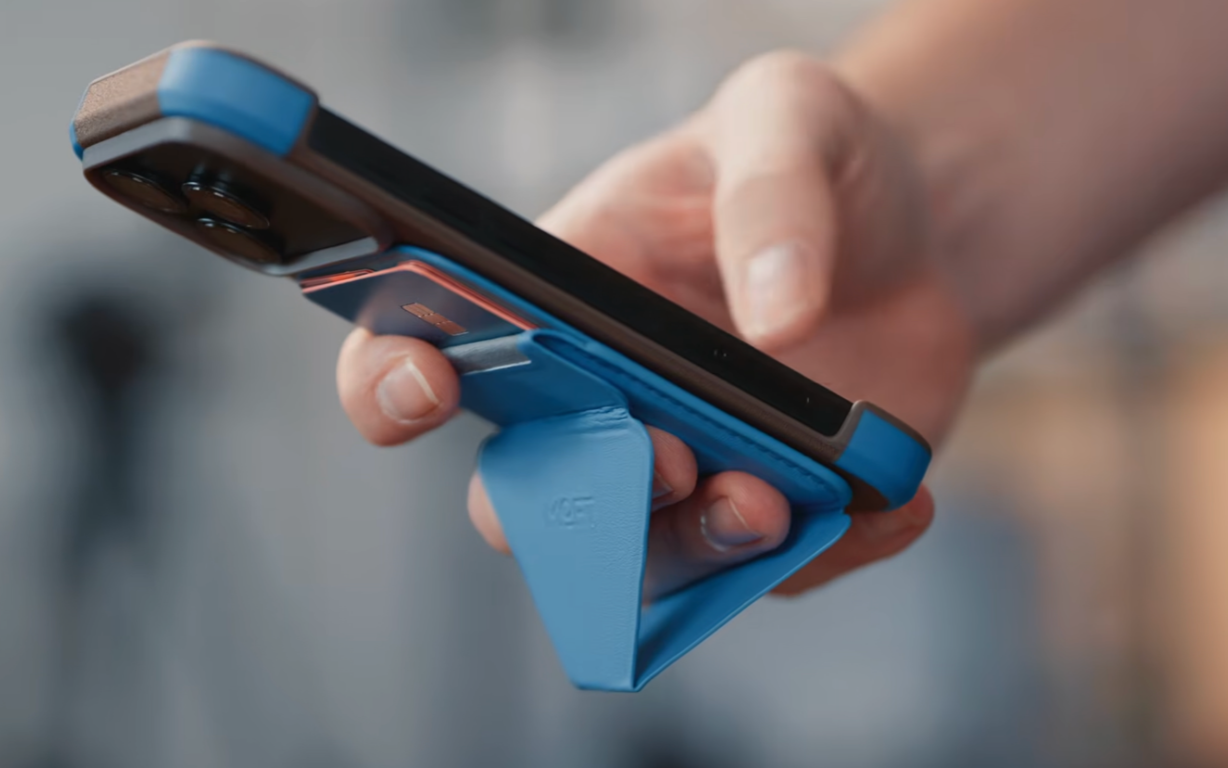
Matt uses MOFT's wallet far more than I do since Apple Pay has nearly removed physical cards from my life. His Snap-On Phone Stand and Wallet carries three cards and folds into portrait, landscape, or floating positions. The triangle shape works as a grip without adding much bulk.
MOFT sells a larger Snap Field Wallet for people carrying more cards, plus trackable versions that work with Find My. The new Coffee collection uses coffee-based material for its cases and tripod stand. I’m taking that set to Hawaii for more testing, so Matt gets the stronger recommendation for now.
Power gear I keep around
I use different chargers at my desk, beside the bed, in the car, and on trips. The iPhone 18 Pro supports MagSafe and Qi2 charging at up to 25W, but the charger and power adapter still need to support the right standard. The Wireless Power Consortium’s Qi guide explains how Qi2 certification covers magnetic alignment, safety, and compatibility.
4. Anker wall chargers
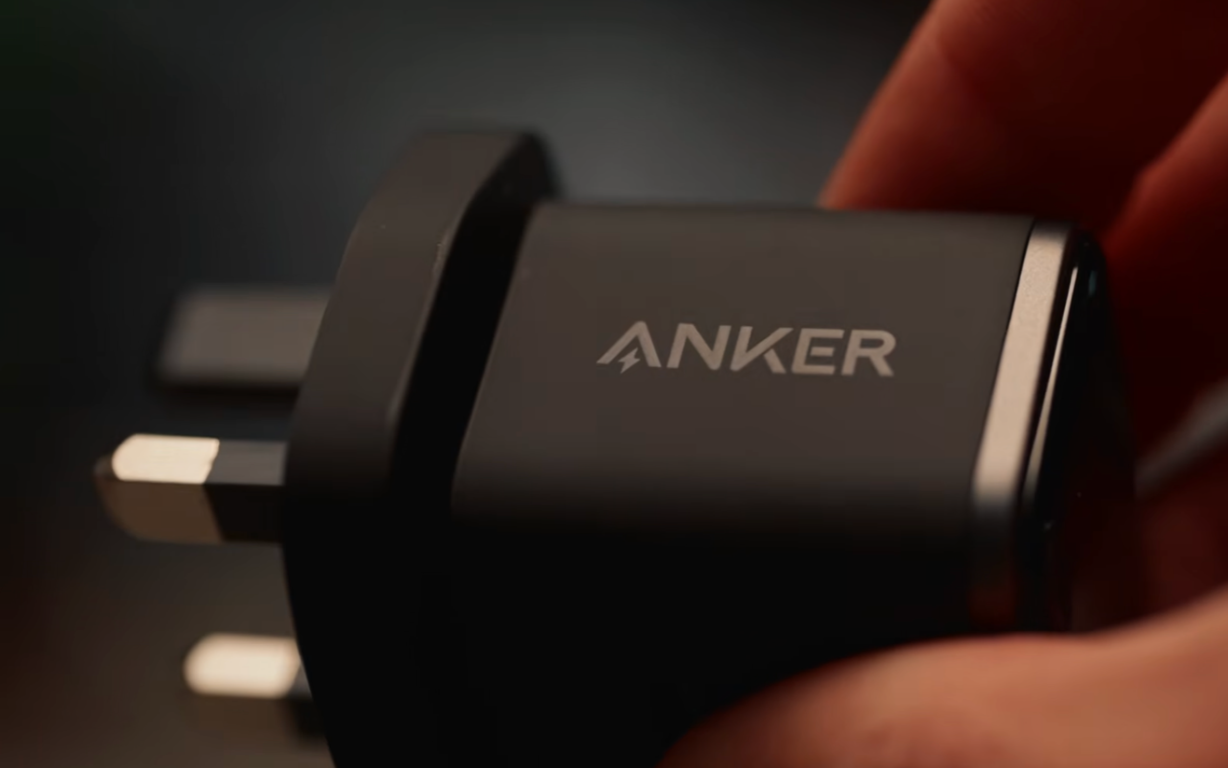
There are two Anker options for very different bags. The 140W four-port model gives you three USB-C ports, one USB-A port, and enough total output for a phone, tablet, and laptop. Its display shows power, port status, and temperature.
The Anker Nano 45W Smart Display Charger is the smaller choice. It recognizes compatible devices and shows charging progress, power, and temperature. Anker’s Care Mode adjusts charging power and temperature to reduce heat during longer charging sessions. I’d keep the 140W model at a desk and throw the 45W version into a smaller travel bag.
5. INIU SnapGo Air
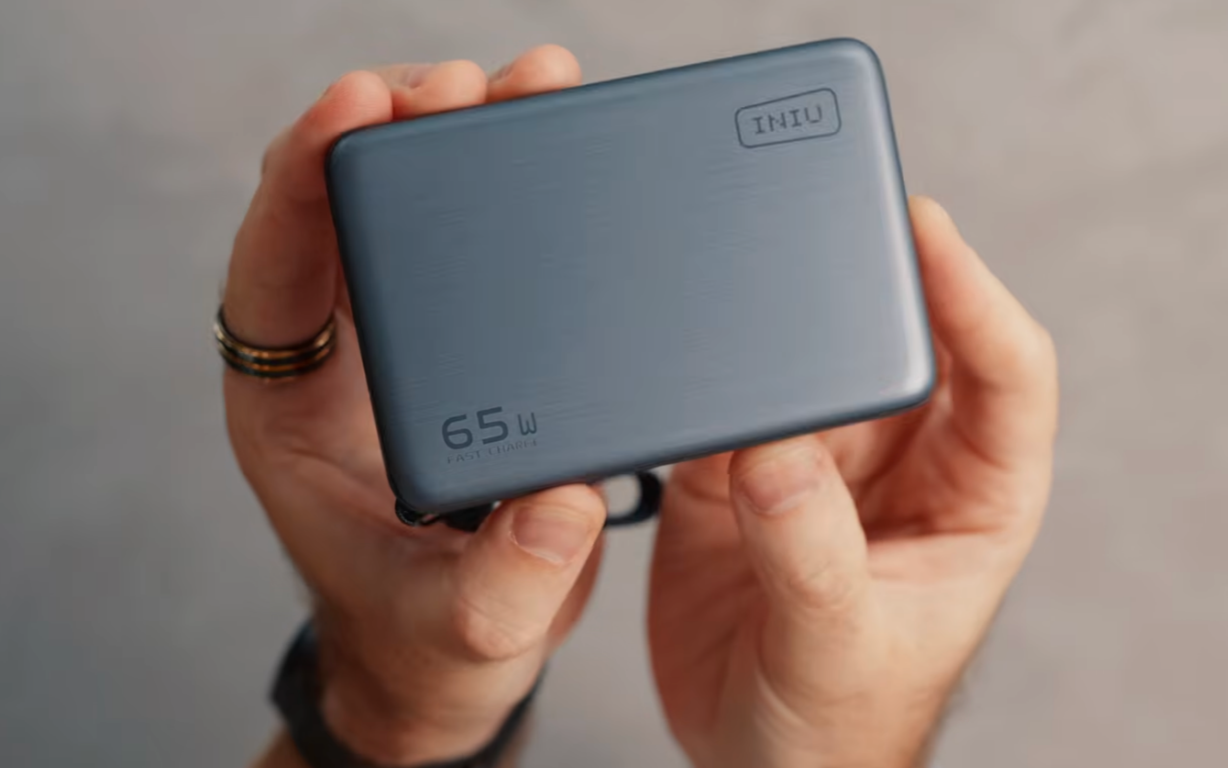
INIU's SnapGo Air P781 combines a 10,000mAh battery with Qi2.2 magnetic charging at up to 25W. It can power another device through USB-C too, which makes it more flexible than a wireless-only battery.
The magnets hold it behind the phone, and the included cable doubles as a carrying strap. I can charge the iPhone without giving up the screen, then use the same battery for an iPad or another device. It has already earned a place in my daily bag.
6. Anker portable power banks
I carry a small Anker battery when I only need to keep one phone going. It fits into a pocket or the little zip bag that follows me around on trips.
Longer family journeys call for the larger model. It has enough capacity for phones, tablets, headphones, and a laptop, with built-in cables that reduce the usual mess. One cable works as a handle, and another retracts into the battery. That’s far better than finding a power bank and realizing every cable is still at home.
7. ESR CryoBoost car charger
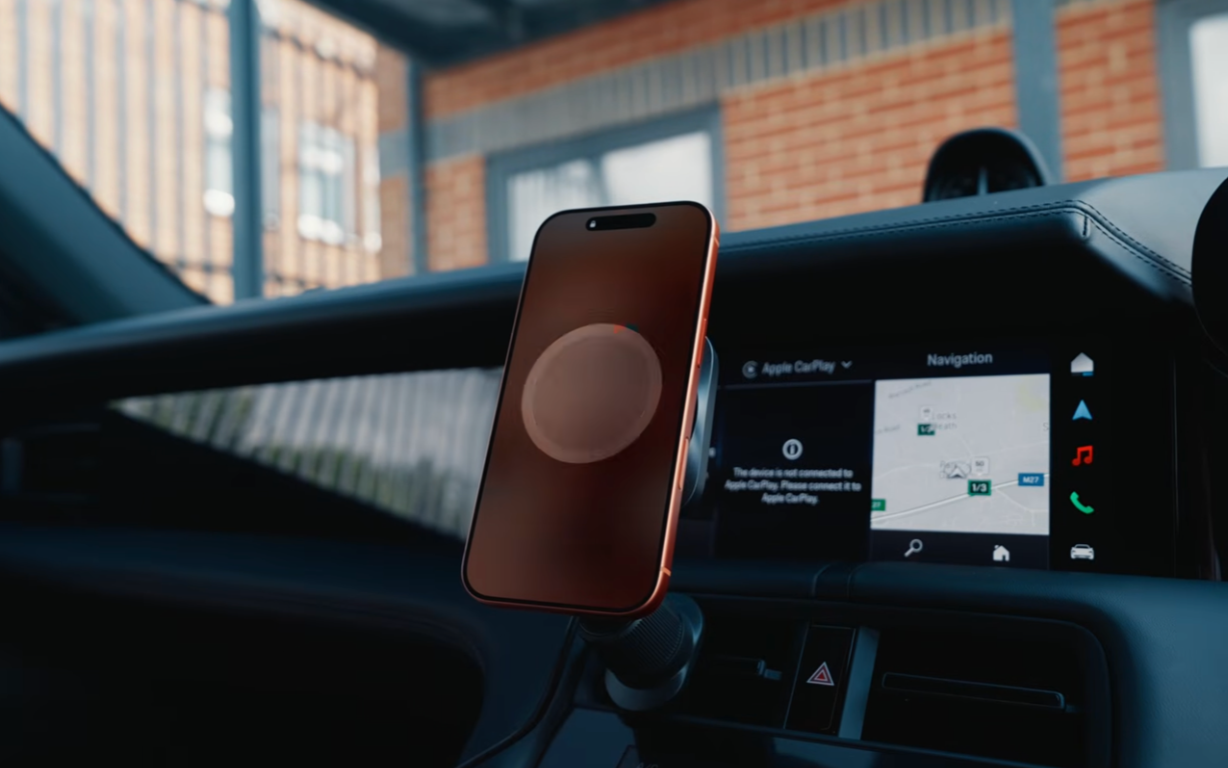
The wireless pad in my Porsche hides under the armrest and makes the phone far too hot. ESR sent me its car charger for an earlier video, and I’ve continued using it since.
The magnetic mount keeps the screen visible for navigation, and CryoBoost uses a fan to cool the phone during charging. That helps when maps, music, mobile data, and charging are all creating heat at once. It has become one of the easiest ways to add power during a normal drive.
8. ESR desktop charger
ESR’s three-in-one desktop charger powers an iPhone, Apple Watch, and AirPods together. The current Qi2.2 version supports up to 25W for compatible phones and uses active cooling to manage temperature.
I like faster charging at my desk because I may only put the phone down for a short time. Beside the bed, speed is less useful. I use a slower five-in-one unit there because it can handle my phone, watch, earbuds, and two extra devices overnight.
9. Magtame and LTT cables
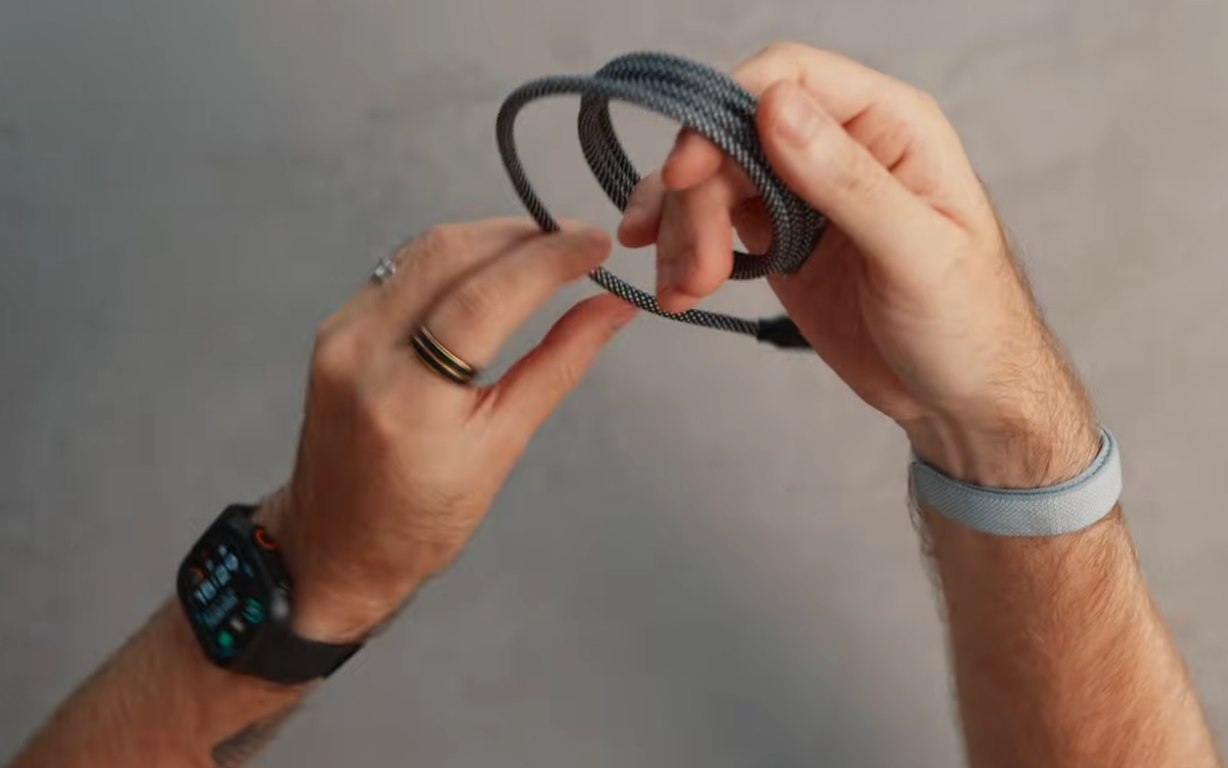
Magtame cables coil around themselves magnetically, so they don’t turn into a knot at the bottom of my bag. It sounds like a tiny improvement until you live with it for a few weeks.
The LTT TrueSpec USB-C cable tackles a different problem. USB-C cables can share the same connector and support very different charging, data, and video speeds. USB-IF cable certification rules require certified USB-C cables to show their supported power and, except for USB 2.0 cables, their data rate. A clearly rated TrueSpec cable means I can pack one option that supports the jobs I need instead of playing cable roulette in a hotel room.
Extras that give the iPhone new tricks
These products give the iPhone a job it couldn’t do as well on its own. They’re more personal than a case or charger, but the right one can earn a regular place in your bag.
10. SpeakON voice button
SpeakON's small magnetic button attaches through MagSafe and uses its own microphone. Press it, speak, and the companion app turns your words into cleaner text inside supported apps.
It can remove filler words, organize a ramble, and adapt the output for the app you’re using. The hardware costs $129 and includes lifetime Pro access, according to SpeakON's current pricing. The device can capture audio without a connection and sync it later, which makes it handy when signal disappears.
11. USB-C Ethernet hub
A USB-C Ethernet hub is one of my favorite travel-preparation tricks. Connect the iPhone to your home network with a cable, and large app, game, or video downloads may finish much faster than they do over a crowded Wi-Fi connection.
The same hub can connect keyboards, SSDs, and external displays. It won’t be useful every day, but it can save a painful evening before a family trip when everyone suddenly remembers they need six films and three new games.
12. 8BitDo and GameSir controllers
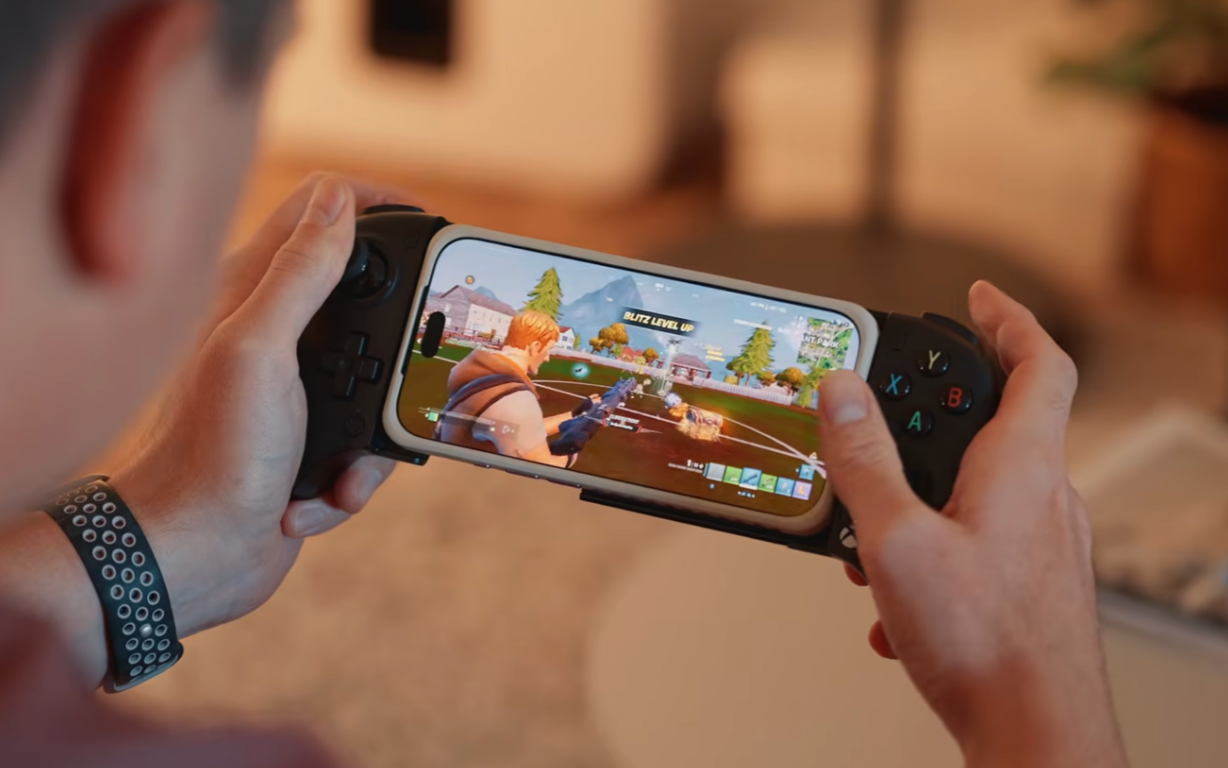
I paid less for the 8BitDo Ultimate Mobile Gaming Controller than the GameSir option I recommended last year. It works with iPhone over Bluetooth on iOS 18.5 or later and includes Hall Effect sticks and triggers, two back buttons, and software remapping.
Bluetooth creates the main drawback. You can’t charge through the controller while the phone is mounted. A GameSir controller with a direct USB-C connection is the better choice for longer sessions because you can keep charging as you play. The 8BitDo still makes sense if saving money is the priority.
13. Apple Watch and Garmin
The Apple Watch Series 12 and Apple Watch Ultra 4 are the obvious partners for an iPhone. I bought the larger Series 12 this year because I wanted the slimmer shape, although my Ultra 2 still works perfectly well.
Garmin watches are the option I’d consider if fitness data and battery life sit higher on the list than Apple integration. Many models last far longer between charges and work across iPhone and Android. The lineup becomes confusing very quickly, so start with the sport and battery life you need rather than the model name.
Earbuds and headphones to pair with the iPhone 18 Pro
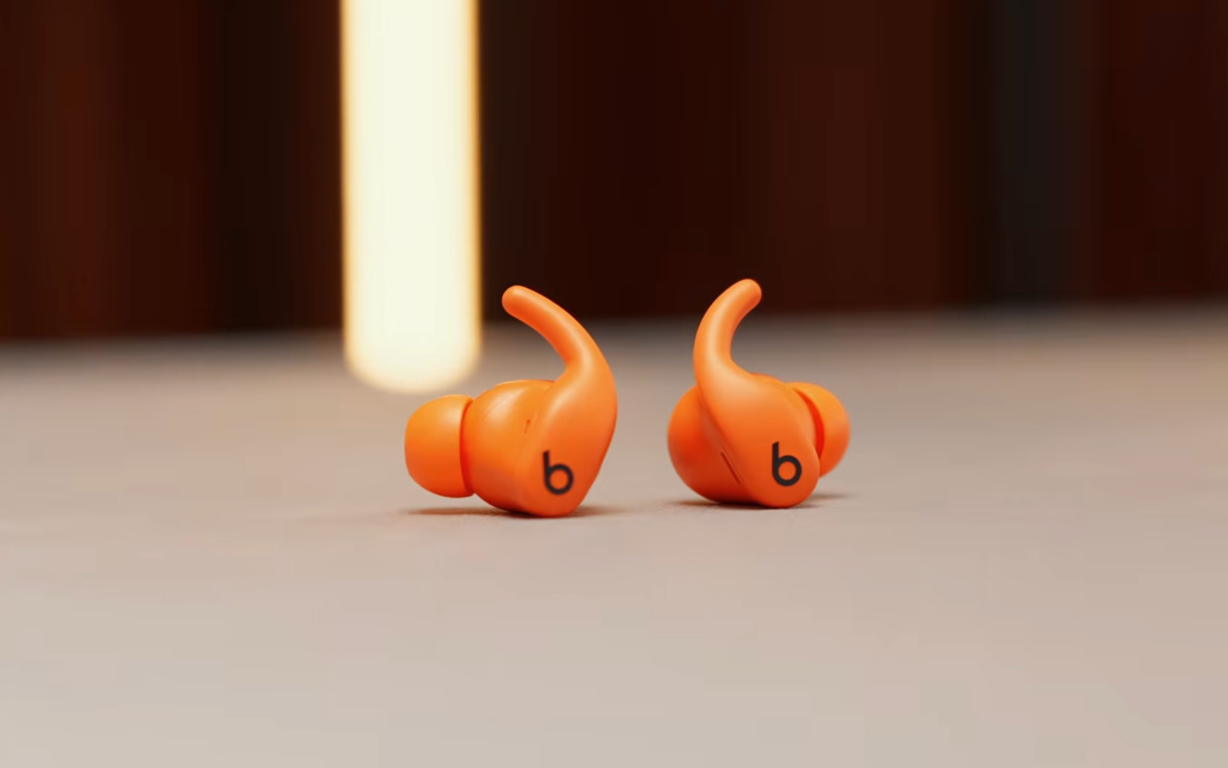
Bluetooth gives you plenty of choice, but Apple keeps several features inside the AirPods family. Fit may end up being more important than any software extra.
14. AirPods and alternatives
AirPods 5 include noise cancellation as standard, plus Live Translation and Siri AI. Those software features need a compatible iPhone, current software, and a supported language or region. AirPods Pro 3 add stronger noise cancellation, heart-rate sensing, hearing features, and longer battery life.
My problem is simpler. AirPods don’t stay in my ears once I start moving. Powerbeats Fit work better for exercise, and foam ear tips can improve the comfort and grip of AirPods Pro for very little money. Soundcore Liberty 5 Pro are another solid choice if Apple-specific features aren’t a priority.
15. AirPods Max and Sonos Ace
AirPods Max 2 sound excellent and pair tightly with the rest of Apple's ecosystem, but they remain heavy. That strange case hasn’t grown on me either.
Sonos Ace and Sonos Ace Ultra are lighter alternatives that still deliver strong sound. I’d choose the Max for the tightest Apple integration and the Sonos models if weight and comfort are higher priorities.
Travel gear that lives in my bag
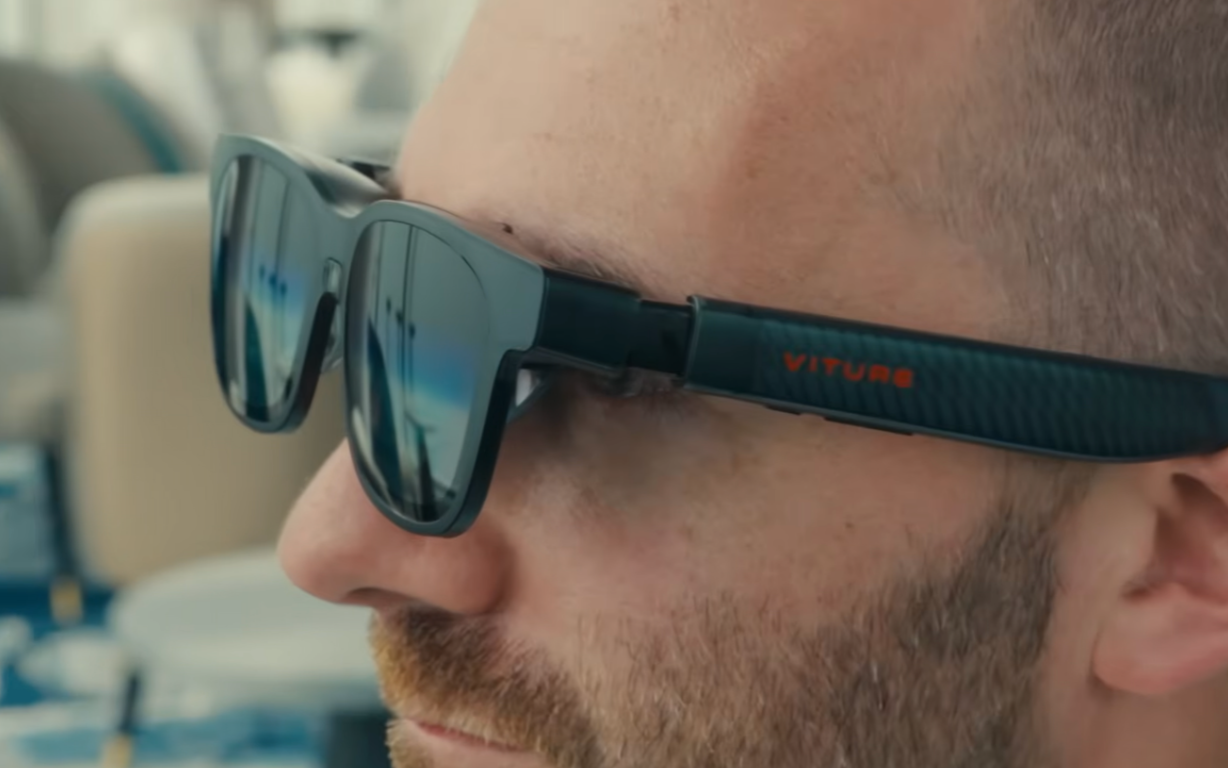
The final two products are far more specialized. One helps me interact with the phone without reaching for it, and the other turns the phone into a private travel screen.
16. Ray-Ban Meta glasses
Ray-Ban Meta glasses can announce calls, read supported messages, take voice replies, and translate conversations or text. Those features reduce how frequently I reach into a pocket or check my watch.
My concern is still the camera indicator and how the glasses are used around other people. Meta says its second-generation and newer glasses disable the camera if the capture light is blocked, and a mandatory July 2026 update extends that to physical tampering. That closes a known loophole, but I’m still more careful about where I wear them.
17. Viture XR glasses
Viture’s XR glasses have become close to essential for flights. I plug them into the iPhone, rest my head back, and watch a large virtual screen instead of staring down at the phone for hours.
They can connect to USB-C handhelds such as the ROG Ally X too. A Nintendo Switch needs a compatible Viture dock or adapter, so check the setup before packing for a trip. They won’t suit everybody, and they cost far more than a stand or charger. Frequent travelers are the people most likely to appreciate them.
I spent a full week testing the Viture XR glasses if you want more details.
Which iPhone 18 accessories should you buy first?
Start with protection and power. A case, compatible screen protector, and reliable USB-C charger solve the problems most owners will face. Add a portable battery if you travel, commute, or use the camera heavily.
The remaining iPhone 18 Pro accessories should match something you already do. A controller makes sense for regular gaming. A Garmin suits someone who cares more about training and battery life than Apple’s wrist-based apps. XR glasses make more sense for frequent flights than a short commute.
Most of these products work as iPhone 18 Pro Max accessories too. Cases and protectors are the exceptions, since the two phones have different sizes. Check the exact model before ordering anything that wraps around the phone or covers its display.
Once the hardware is sorted, my iPhone 18 settings guide covers the changes I make before using a new phone every day.
iPhone 18 accessories that outlast the launch hype
I’ve covered protection, charging, gaming, watches, audio, and some very expensive glasses. You don’t need all 17 products. I’d begin with the accessory that fixes the annoyance you already have, then add something else after you know there’s a gap.
New iPhone 18 accessories will keep arriving, and some early products will improve after their first version. A dependable case or charger can stay useful across years of daily use, which is a much better test than whatever looks clever on launch day.
For more real-world tech experiments and buying decisions, you can join my Experiments in Progress newsletter.
Frequently asked questions
What iPhone 18 Pro accessories do I need?
Most owners should begin with a fitted case, a Face ID-compatible screen protector, and a USB-C charger from a trusted brand. A power bank or car mount can come next if the phone spends a lot of time away from a wall outlet.
Do iPhone 18 Pro Max accessories fit the Pro?
Universal products such as chargers, wallets, headphones, controllers, and power banks can work with both phones. Cases and screen protectors are model-specific because the Pro and Pro Max have different dimensions.
Does the iPhone 18 Pro support Qi2 charging?
Yes. Apple lists Qi2 wireless charging at up to 25W for the iPhone 18 Pro and Pro Max. The charger and its power adapter must support the required output, and actual charging speed can change with temperature and battery level.
Will older cases fit the iPhone 18 Pro?
The iPhone 18 Pro and Pro Max match the 17 models in height, width, and thickness, and some reviewers report that 17 Pro cases fit. Apple doesn't list them as compatible because the 18 Pro camera plateau is about 0.1mm thicker, so check the case maker's listing before reusing one.
Can screen protectors interfere with Face ID?
Yes. Some matte and privacy protectors have caused problems with the relocated infrared sensor on the iPhone 18 Pro models. Check that the protector specifically supports the phone and confirm Face ID works before the return period ends.
