


Apple has spent years making the iPhone camera increasingly automatic. Point it at something, tap the shutter, and a huge amount of the decision-making happens in the background. With the iPhone 18 Pro camera, Apple is giving some of that say back to you.
The headline change is a physical variable aperture on the 48MP Fusion Main camera. Instead of being locked to one aperture, the Main camera can switch between f/1.48, f/1.8, f/2.8, and f/4. Apple has paired that with deeper options for shutter speed, white balance, and histogram viewing.
That sounds like a very camera-person update. The more useful question for me is what any of it changes in your photos and video.
Early independent testing suggests the answer depends heavily on what you shoot, how close you are to the subject, and how involved you want to get with the settings. Some scenes show a real difference. Others barely change.
I haven’t tested the camera myself yet, so I’m focusing here on what Apple changed, where I think the new controls could help, and what independent testing has found so far.
What changed with iPhone 18 Pro camera?
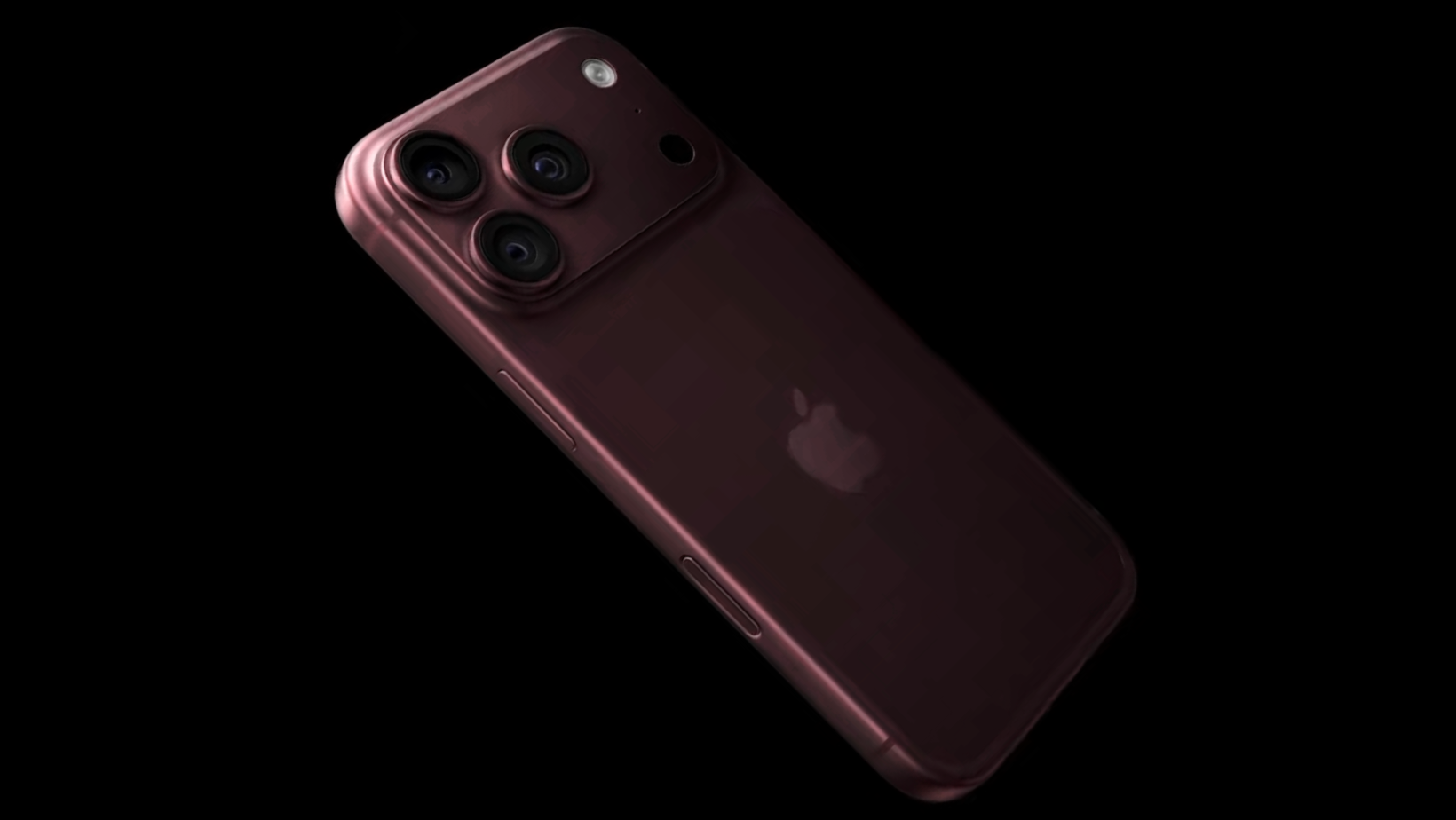
The biggest change is the variable-aperture 48MP Main camera, backed by new options for aperture, shutter speed, white balance, and histogram viewing.
The iPhone 18 Pro camera specs still include a 48MP Ultra Wide and 48MP 4x Telephoto, but the variable aperture belongs to the Main camera only. My Apple September 2026 event coverage also gives you the wider context around the rest of this year’s iPhone changes.
The Main camera gets mechanical
Apple gives the Main camera four aperture settings: f/1.48, f/1.8, f/2.8, and f/4.
Opening the aperture wider lets in more light and can soften the background. Closing it down lets in less light but can keep more of the scene in focus.
Apple says six physical blades move between those settings, so this is a mechanical change rather than another software-only portrait effect.
Manual controls for the hands-on crowd
Apple is giving creators more say over aperture, shutter speed, white balance, and the histogram.
Shutter speed changes how motion looks. White balance can stop color drifting between shots. A histogram gives you a quick read on exposure before you hit record.
If all of that sounds like homework, you can still let the camera make those decisions for you.
Zoom still needs an asterisk
Apple uses “optical-quality” for its 2x and 8x options. That doesn’t mean the phone has separate native 2x and 8x optical lenses. I think that distinction is worth keeping in mind once those numbers start landing in comparison charts.
What changing the aperture does
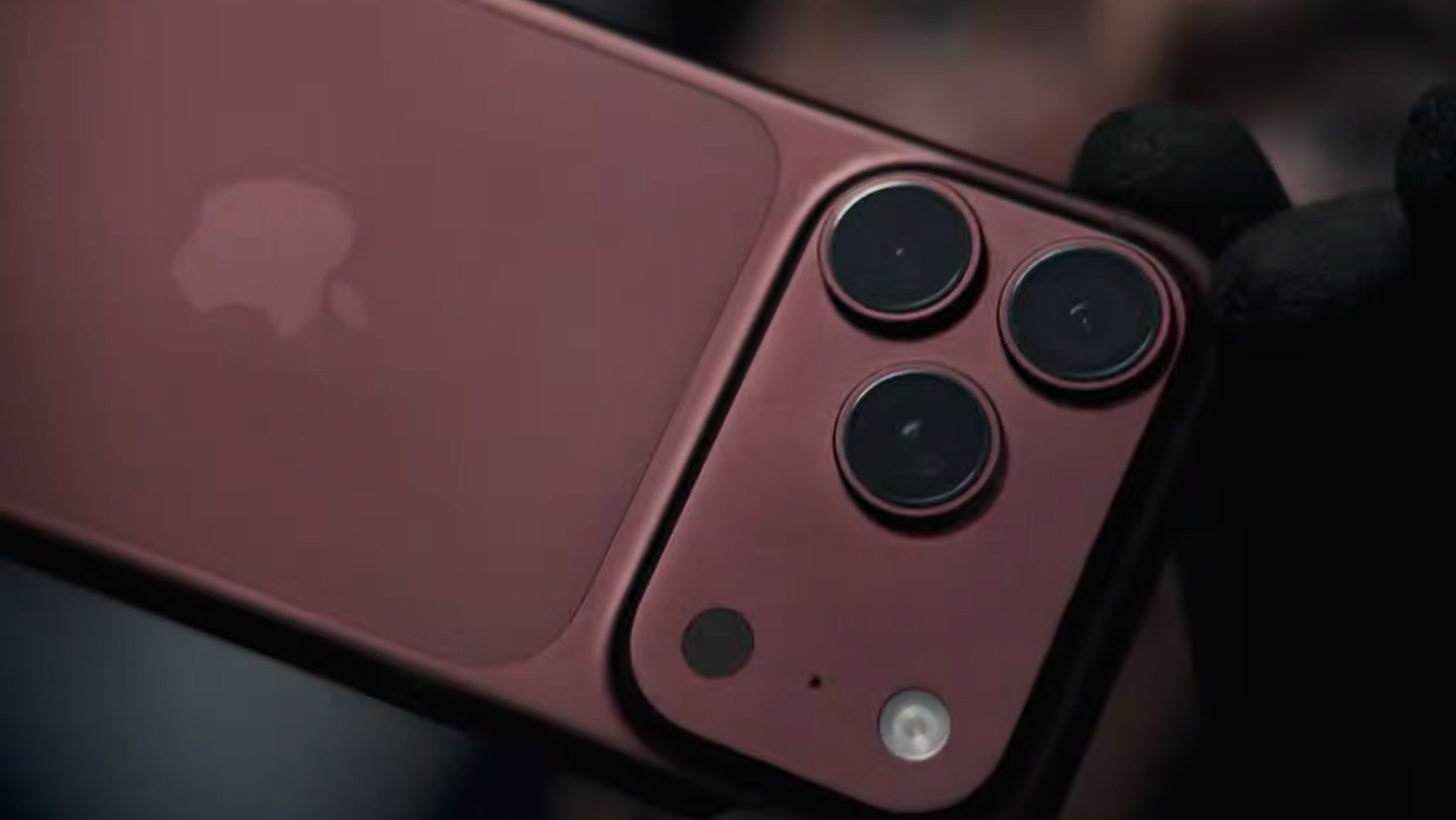
Aperture sounds like camera-nerd territory, but the idea is simple. Opening or closing it changes how much light reaches the camera and how much of the scene stays sharp.
Let in more light
At f/1.48, the Main camera is at its widest setting. That can help in darker scenes and create more natural background separation when your subject is close.
The trade-off is that more light and more blur don’t automatically equal a cleaner image.
Sharper isn’t always wider
PetaPixel found an interesting trade-off in its testing. In its sample, f/2.8 produced the sharpest result, followed by f/1.8, f/4, and then f/1.48.
That doesn't make f/2.8 the automatic best setting. It shows why the iPhone 18 Pro variable aperture is more useful as a choice than a simple upgrade button.
Get the whole scene in focus
At f/4, more of the scene can stay in focus.
That can help with group photos, products, landscapes, or scenes where several important things sit at different distances.
The useful part is having another option when the automatic result isn't what you want.
Blur gets more interesting
Some background separation can now happen optically instead of being created entirely by Portrait mode.
The two approaches solve slightly different problems.
Don't retire Portrait mode yet
Portrait mode can create much stronger blur than the camera can naturally produce in many scenes.
The downside is that software has to decide where your subject ends and the background begins. Hair, glasses, leaves, fur, and transparent objects can make that messy.
No more fuzzy hair cutouts
Optical blur doesn’t need to cut your subject away from the background in the same way. In one close-up test, TechRadar found that native blur handled a difficult leaf edge more naturally than Portrait mode, where the software struggled with the subject boundary.
That’s one scene rather than proof that optical blur always wins. Portrait mode can still create far more dramatic separation.
Close-ups show off the most
Subject distance makes a big difference. Tom’s Guide reported that once its subject was around seven feet away, there was very little visible difference between aperture settings in its test.
If I were shooting food, products, pets, people, or objects fairly close to the camera, I’d expect to notice the effect more. Wider scenes and distant subjects are less likely to show a dramatic change.
The low-light balancing act
Opening the aperture wider sounds like an obvious choice at night. More light should mean a better photo, right?
Sometimes. The new settings make low-light shooting more flexible, but sharpness, motion, and depth of field still have to share the same shot.
More light to freeze the action
A wider aperture gives the camera more light to work with. In some scenes, that can give it more room to use a faster shutter speed or lower ISO.
Apple lists improved low-light video among the new camera features, but I wouldn’t assume every f/1.48 night shot will beat the narrower settings.
The sharpness trade-off
PetaPixel’s widest-aperture sample wasn’t its sharpest of the four. With enough light, opening the lens as wide as possible isn't automatically the right call. The useful change is being able to choose.
That’s one of the reasons I think the iPhone 18 Pro camera is becoming more interesting for people who want to make those decisions themselves.
Video creators take the wheel
Manual shutter speed, white balance, and aperture adjustment may end up being more useful for creators than another small jump in automatic photo quality.
That’s the part of the iPhone 18 Pro camera specs I’d be most interested in testing for video.
Dial in your motion blur
Shutter speed affects how motion looks in video. Manual adjustment lets you choose the amount of motion blur you want instead of letting the camera keep changing it as conditions shift.
Lock in your colors
Locking white balance means a shot is less likely to move warmer or cooler halfway through a take. That can make several clips easier to match later.
Aperture joins your video toolkit
Aperture gives me another way to shape exposure and depth of field for interviews, product shots, close-ups, and other controlled setups.
The iPhone 18 Pro variable aperture could be especially useful when I want more control over the look before footage reaches the edit.
If I were shooting longer ProRes sessions, I’d also want somewhere for those files to go. The SanDisk Creator Phone SSD is one useful external-storage option for phone-based video.
For static shots, interviews, or product footage, something like the ShiftCam SnapStand Max Full Height Mobile Tripod can also give me more flexibility than trying to prop a phone against whatever happens to be nearby.
Claims about aperture transitions or how smooth the interface feels still need proper first-hand testing.
What changes if you already have a Pro?
The upgrade case gets much easier for me if you’re coming from an older phone. Recent Pro owners have a narrower question to answer: will you use the new camera options?
iPhone 17 Pro owners, hold tight
The iPhone 17 Pro already has a 48MP Main camera, but its Main lens uses a fixed f/1.78 aperture.
Moving to the 18 Pro gives you variable aperture and deeper manual settings rather than another megapixel jump.
If I mostly opened the camera, took the photo, and moved on, I’d have a hard time justifying that after one year. My iPhone 17 buyer’s guide gives you more context on what last year’s Pro models already offered.
iPhone 16 Pro owners have more to gain
The iPhone 16 Pro creates a little more distance between what you have and what Apple is offering now.
You’re combining the new aperture system and manual options with changes Apple has made across multiple generations, so I think the decision becomes less dependent on one headline feature.
Rocking an older iPhone?
For someone using an iPhone that’s several years old, the iPhone 18 Pro camera becomes part of a much larger jump.
You’re stacking the new settings on top of several years of camera, processing, and video improvements. That makes the overall upgrade much easier for me to see.
So, is the iPhone 18 Pro camera worth the hype?
I think it can be, but the benefit depends heavily on how you shoot. Variable aperture gives the Main camera more flexibility. It doesn’t transform every lens, and I wouldn’t expect every photo to come out better simply because I selected f/1.48.
Control freaks rejoice
I think creators and photographers who already pay attention to shutter speed, white balance, exposure, and depth of field have the most to gain.
The camera can still do the thinking for you, but now I have more ways to step in when its choice isn’t mine.
Casual shooters can relax
If you leave everything on auto, you may barely touch the features doing most of the work in this upgrade.
That makes this a very different upgrade for someone taking casual snapshots than for someone using an iPhone as a serious photo or video tool.
The Main camera gets all the love
The Ultra Wide and Telephoto don’t get variable aperture. If you live on those lenses, this headline feature does less for your normal shooting than it does for someone who uses the Main camera most of the time.
Control is the iPhone 18 Pro camera's best feature
Apple hasn’t turned the iPhone into a mirrorless camera. What interests me more is that it’s giving photographers and creators more say over what the Main camera does before software takes over.
For me, the iPhone 18 Pro camera is most compelling when those controls solve a real shooting problem rather than simply giving me another setting to play with.
The aperture can let in more light, keep more of a scene sharp, or create more natural background separation depending on the setting and subject. There isn’t one aperture I’d choose for every shot.
That’s why I think more control is a much more useful upgrade than another invisible processing tweak.
For more real-world tech experiments and buying decisions, you can join my Experiments in Progress newsletter.
Frequently asked questions
Here are the quick answers I’d give to the biggest questions around the new camera system.
Does variable aperture work on every camera?
No. The variable aperture is limited to the 48MP Fusion Main camera. The Ultra Wide and 4x Telephoto use fixed apertures.
What aperture settings does it have?
The Main camera can use f/1.48, f/1.8, f/2.8, or f/4. Wider settings let in more light, while narrower settings can keep more of the scene in focus.
Is the widest aperture always better at night?
No. f/1.48 lets in the most light, but wider apertures can trade some sharpness and depth of field. I’d choose based on the scene rather than treating the widest setting as automatically better.
Is natural blur better than Portrait mode?
Sometimes. Optical blur can avoid some computational edge errors, but Portrait mode can create much stronger background separation. I’d use whichever gives me the look I want for that shot.
Is it worth upgrading from iPhone 17 Pro?
For me, it would depend on how much I planned to use variable aperture and the new manual options. If I mostly shot on auto, I’d expect a much smaller difference than if I regularly wanted more control over the shot.
