


I look at an iPad straight out of the box, and it feels incomplete. It's a brilliant piece of glass, but without a keyboard, a stand, or a pencil, it's basically a big iPhone. You have to add the right gear to make it work for your routine.
The search for the best iPad accessories usually comes down to solving specific problems: making it easier to type, making the screen less slippery for drawing, or stopping your neck from aching when you use it at a desk.
This guide skips the junk and groups reliable gear from trusted brands like Apple, MOFT, ESR, TORRAS, and Paperlike. You don't need everything on this list, but picking the right upgrades will fundamentally change how you use your tablet.Paperlike is sponsoring this guide, and I’ve included its latest screen protector and Pencil Grips below alongside the other accessories I recommend.
1. Apple Magic Keyboard
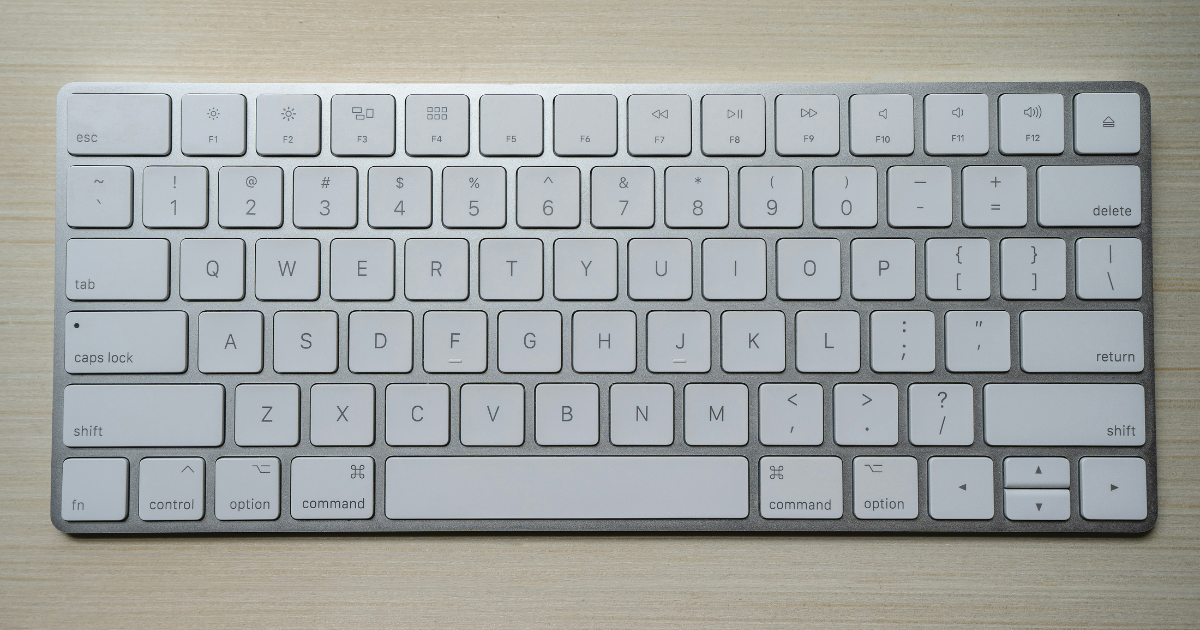
If you write emails, edit documents, or manage spreadsheets, adding a keyboard is the fastest way to turn an iPad into a laptop replacement. It's the most impactful category of the best iPad accessories because it changes the device's entire form factor from a media consumption screen into a genuine productivity tool.
The Apple Magic Keyboard is the premium, integrated choice. It features a 14-key function row, a haptic trackpad, and a USB-C port for pass-through charging. The cantilever design makes the iPad look like it's floating, and the typing experience is identical to a MacBook.
The trackpad integration is what really separates this from cheaper Bluetooth keyboards, because it allows you to use iPadOS gestures natively without reaching up to touch the glass. It's the obvious choice if you own a compatible iPad Pro and want the most integrated experience possible.
2. ESR Shift Keyboard Case
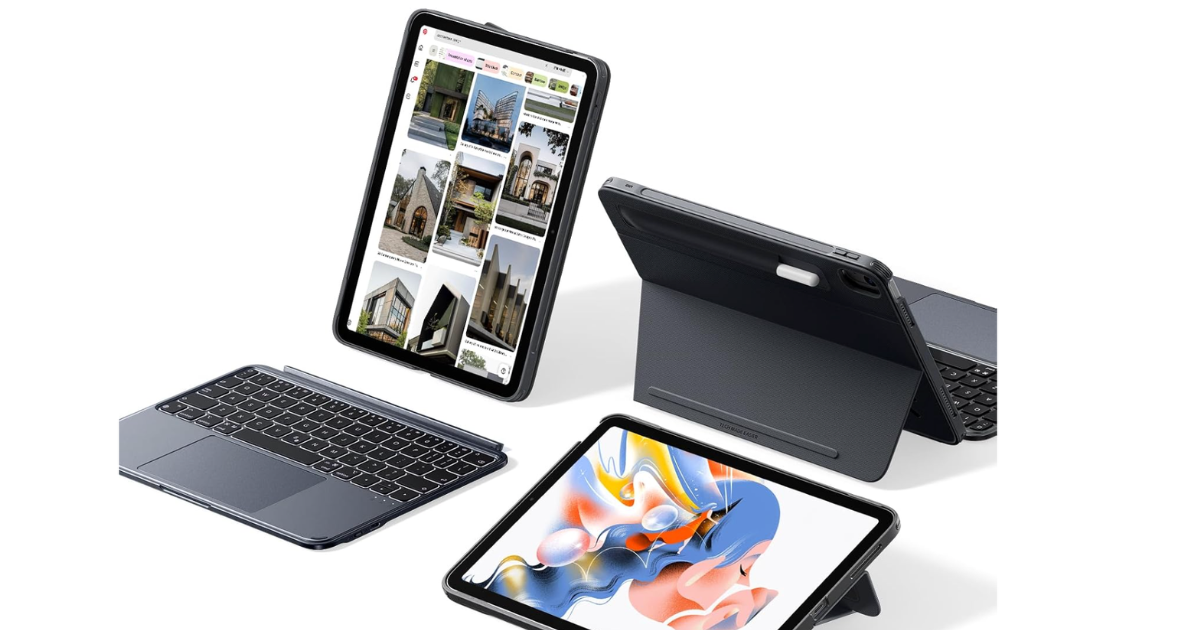
If you want a versatile alternative that costs less, the ESR Shift Keyboard Case is a brilliant option. It gives you a detachable keyboard, a stable stand, and dual Pencil storage. The advantage here is that you can pull the keyboard away when you want to read or watch a video, while the iPad stays protected in its magnetic shell.
As I mentioned when discussing making your iPad a productivity powerhouse, a detachable keyboard gives you the flexibility that a rigid laptop replacement lacks.
3. Apple Pencil Pro
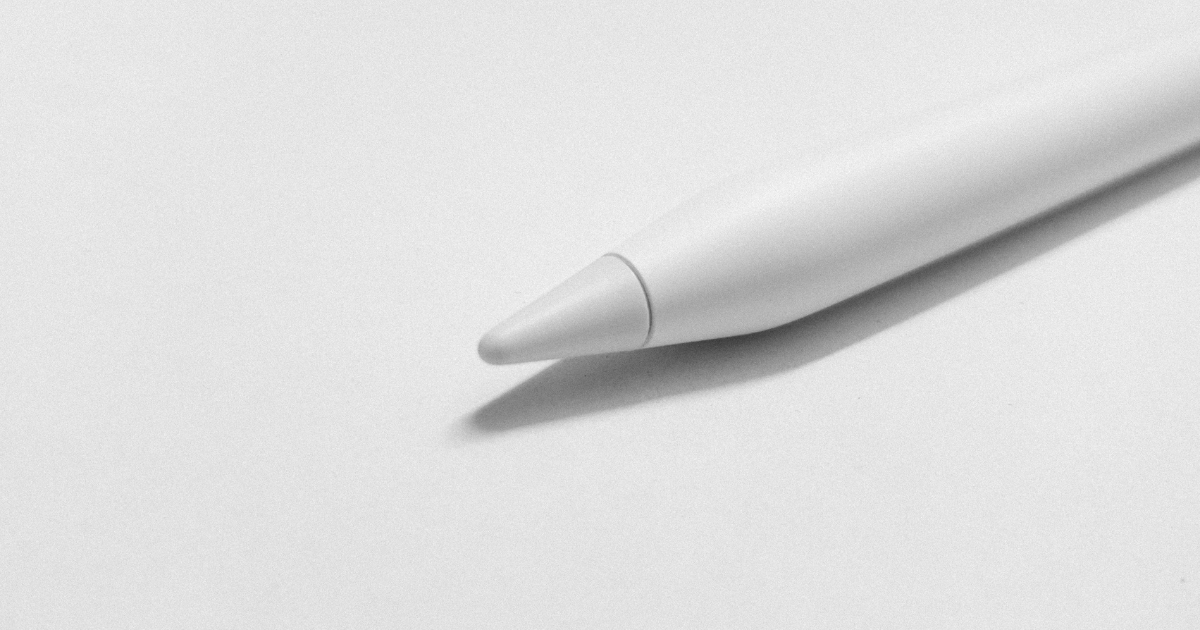
The glass screen on an iPad is incredibly slippery. That's why the best iPad accessories for artists focus entirely on friction and control, rather than processing power. If you try to write or draw on it without help, your handwriting will look messy, and your hand will cramp up as you try to control the stylus.
The Apple Pencil Pro is the obvious starting point. It's compatible with supported M4/M5 iPad Pro and M2/M3/M4 iPad Air models. The haptic feedback and squeeze gestures make it the most capable stylus for digital artists who need precision.
Being able to squeeze the barrel to switch tools without tapping the screen keeps you in the flow of your work, which is a massive advantage for anyone doing complex illustration or heavy note-taking.
4. Paperlike 3 Screen Protector
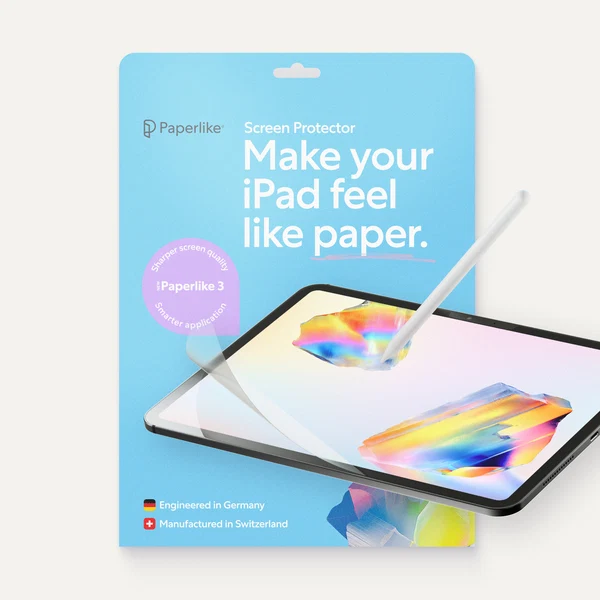
One of my biggest complaints about using an Apple Pencil on an iPad is the glass itself. It’s incredibly smooth, which might be great for swiping around iPadOS, but it doesn’t give you much resistance when you’re writing, sketching, or taking notes.
That’s where the Paperlike 3 Screen Protector comes in. It adds a paper-like texture to the display, giving the Apple Pencil more friction and control instead of letting the tip slide across bare glass.
For me, that makes the iPad much nicer to use for handwritten notes and drawing. You get more resistance under the Pencil, while still keeping all the flexibility of working digitally on an iPad.
Paperlike 3 is designed specifically for people who regularly write or draw on their iPad, so if the Apple Pencil is a big part of your workflow, this is one of the upgrades I’d look at first.
5. Paperlike Pencil Grips
If you spend hours taking notes, sketching, or working with an Apple Pencil, Paperlike also makes Pencil Grips that slide over the stylus to give you a thicker, more comfortable grip.
It’s a simple addition, but combined with the Paperlike screen protector, it tackles both sides of the writing experience: the screen gives you more control over the Pencil tip, while the grip makes the Pencil itself more comfortable to hold for longer periods.
If your iPad has effectively replaced your notebook, these two accessories make a lot of sense together.
6. MOFT Snap Float Folio
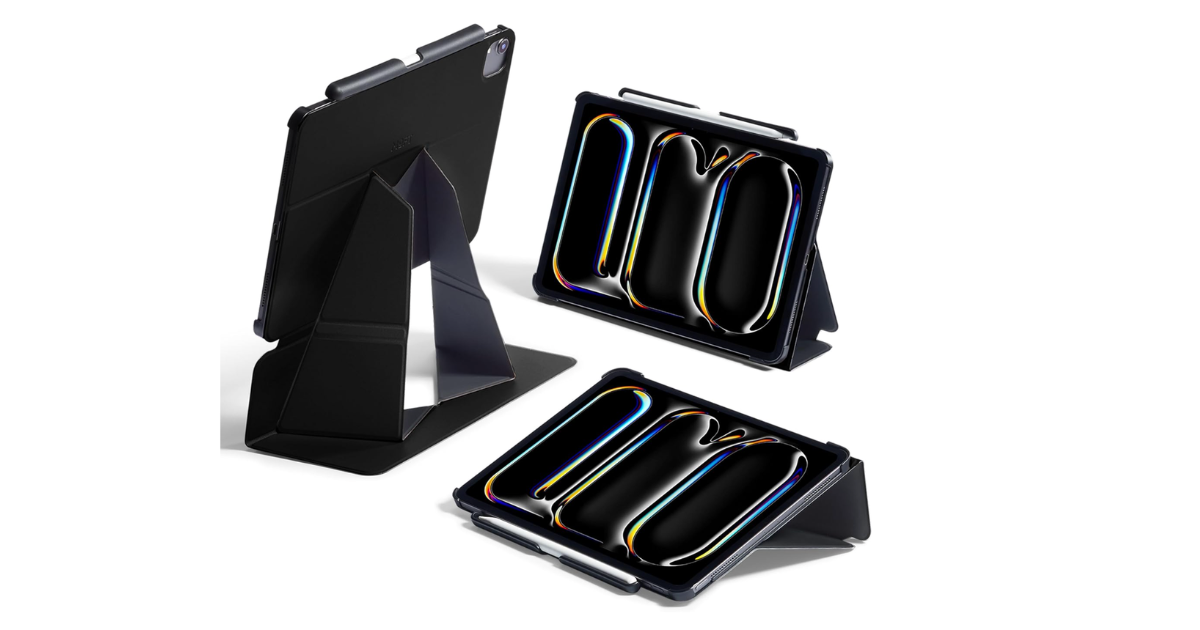
A flat iPad is terrible for your neck. If you use it at a desk for more than ten minutes, you need a way to elevate the screen. This is a critical part of the setup conversation because ergonomics are equally important as the tech itself.
The MOFT Snap Float Folio is a clever solution. It uses magnetic attachment to elevate the iPad for Sidecar use or watching movies. It folds flat when you travel, but snaps into a raised stand when you sit down.
When setting up a desk, OSHA’s monitor quick tips recommend placing a screen directly in front of you, at least 20 inches away, with the top line at or below eye level. If you raise your iPad to meet those guidelines, you can't comfortably reach the screen to type.
You have to pair a raised stand with a separate Bluetooth keyboard and trackpad to avoid shoulder pain.
7. Anker 551 USB-C Hub (8-in-1)
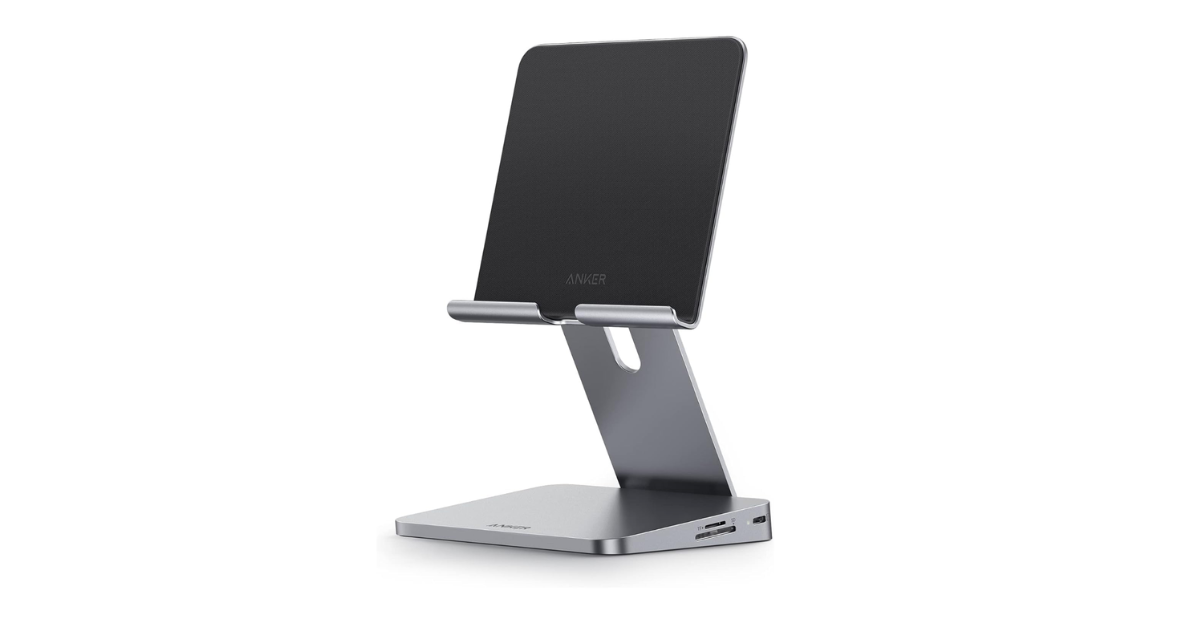
If you use your iPad as a permanent desk fixture, you need the Anker 551 USB-C Hub (8-in-1). It acts as both a stand and a connectivity hub, letting you plug in external monitors, SD cards, and wired accessories.
This solves the iPad's biggest physical limitation: the single USB-C port. By running everything through the hub, you can keep the tablet charged while pulling footage off an SD card or outputting your work to a larger display.
8. Satechi Aluminum Desktop Stand
For users who treat their iPad as a dedicated secondary monitor next to a Mac, the heavy Satechi Aluminum Desktop Stand provides a permanent, wobble-free base. It doesn't have the built-in ports of the Anker hub, but the solid aluminum construction means the screen won't bounce every time you tap it.
9. TORRAS Ostand K3 Neo: One of the best iPad accessories for travel
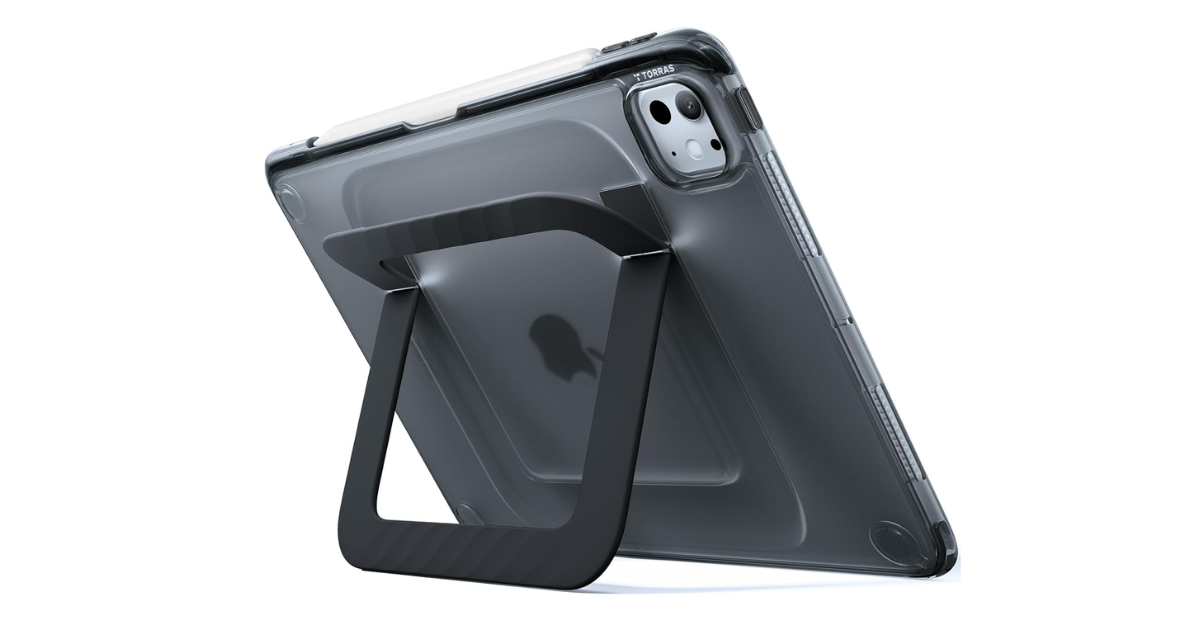
An iPad is an expensive pane of glass. When you throw it into a bag with keys, chargers, and water bottles, it needs protection. The best iPad accessories for travel focus on keeping the screen intact and the Pencil secured, without adding so much bulk that the tablet becomes uncomfortable to hold.
The TORRAS Ostand K3 Neo is a fantastic everyday case. It offers durable protection, secure Apple Pencil storage, and a built-in multi-angle magnetic stand. The ring on the back lets you prop the iPad up in landscape or portrait mode, which is incredibly useful when you're reading on a train or watching a video in a cafe.
The dedicated Pencil slot is the most important feature here, because a magnetically attached stylus will almost always get knocked off in a crowded backpack.
10. tomtoc Portfolio Case
If you travel with a hub, a charger, and a mouse, a simple case isn't enough. The tomtoc Portfolio Case is a padded sleeve that carries the iPad and all its accessories safely in one organized package. When you look through the iPad buyer’s guide to pick your tablet, remember to budget for a portfolio case that actually fits the size of the device you choose.
11. Anker 735 Charger (Nano II 65W)
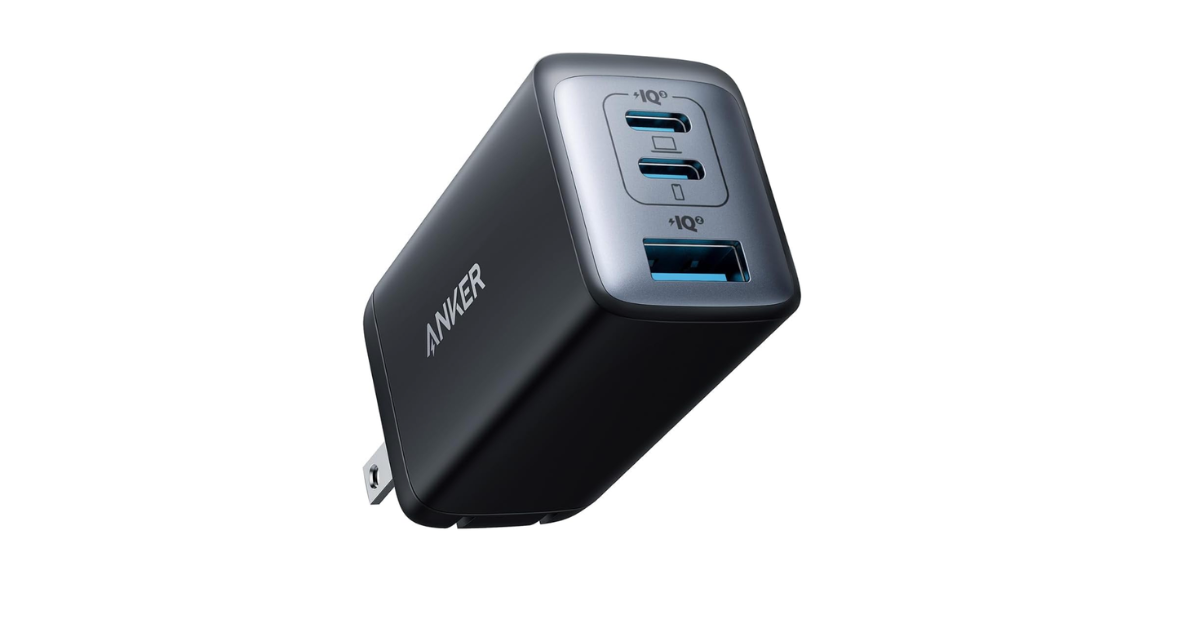
When you start adding hubs, keyboards, and secondary devices to your travel bag, the standard Apple charging brick isn't enough. You need a single charger that handles the iPad and its peripherals simultaneously.
The Anker 735 Charger (Nano II 65W) is incredibly compact but delivers enough power to charge an iPad Pro, a phone, and wireless earbuds at the same time. Dropping three separate chargers in favor of one high-speed block is the smartest travel upgrade you can make.
Pick the gear that fits your workflow
You don't need to buy everything on this list to get value out of your tablet. The trick to finding the best iPad accessories is matching the gear to your actual daily routine.
If you write every day, buy a keyboard. If you draw, get a Paperlike protector and a Pencil. If you mostly watch videos, invest in a good magnetic stand. Always check your specific iPad generation, size, and processor before buying anything, because accessory compatibility changes constantly and a case for an M2 iPad won't fit an M4 iPad.
If you want more practical advice on building a tech setup that works, subscribe to Experiments in Progress.
FAQs
Do all iPad accessories work with every iPad?
No. Many iPad accessories are model-specific, especially the Apple Pencil, Magic Keyboard, keyboard cases, and fitted protective cases. Always check your exact iPad generation, screen size, and chip before buying anything. This is the boring step that saves you from ordering a beautiful case that does not fit.
Is the Apple Magic Keyboard worth the price?
The Apple Magic Keyboard is worth it if you type on your iPad every day and want the closest thing to a laptop experience. The keyboard, trackpad, function row, and pass-through charging make the iPad feel much more useful for work. If you want more protection or a detachable setup, a third-party keyboard case may make more sense.
How do I make my iPad screen feel like paper?
You can make an iPad screen feel more like paper by adding a matte screen protector, such as Paperlike 3. It adds friction to the glass, which makes writing and drawing with an Apple Pencil feel more controlled. It will not turn the iPad into a notebook, but it does stop the Pencil from sliding around so much.
What are the best iPad accessories for a desk setup?
The best iPad accessories for a desk setup are a raised stand, Bluetooth keyboard, trackpad or mouse, USB-C hub, and charger. A stand gets the screen closer to eye level, while the keyboard and trackpad stop you from reaching up to touch the display all day. That setup makes the iPad feel much less like a tablet balanced awkwardly on a desk.
What iPad accessories are best for travel?
The best iPad accessories for travel are a protective case, a portfolio sleeve, a compact charger, and secure Apple Pencil storage. A magnetic Pencil alone is not enough in a crowded bag. If you travel with a hub, mouse, charger, or keyboard, a portfolio case keeps the whole setup from turning into a loose pile of cables.
