


I've worn enough fitness trackers over the years to know that collecting health data is the easy bit. The harder question is what you're supposed to do with all of it.
Knowing your resting heart rate, sleep duration, heart rate variability (HRV), and training load can be useful, but only if you understand what those numbers mean together. Otherwise, you've essentially got a very expensive wrist-mounted spreadsheet.
Apple is trying to solve that with Readiness, one of the biggest new health features introduced with the Apple Watch Series 12 and Apple Watch Ultra 4.
Instead of leaving you to interpret several different health metrics yourself, Apple Watch Readiness combines information about your sleep, activity, training load, and Vitals into a single score from 0 to 10. The idea is to give you a quick indication of how prepared your body appears to be for the day ahead.
If you've used an Oura Ring, WHOOP, or some Garmin watches, the concept will sound familiar. Recovery and readiness scores have become a major part of the wearable market, and Apple is now bringing its own version directly to the Apple Watch.
Here's the cool part: Apple's also cranked up how often its newest watches check your heart rate and HRV, so Readiness has way more data to work with.
So, how does Apple Watch Readiness work, what does your score mean, and should you change your workout because your watch tells you to take it easy?
Let's take a look.
Your Readiness cheat sheet
- Apple Watch Readiness gives you a score from 0 to 10 based on several signals, including sleep, activity, training load, Vitals, and heart rate variability.
- The score can change during the day. Rather than being a fixed morning number, Readiness updates as Apple Watch receives more information about your activity and recovery.
- Apple Watch Series 12 and Ultra 4 collect health data much more frequently. Apple says background heart rate can now be measured every five seconds and HRV as often as every five minutes.
- Readiness is guidance rather than a medical diagnosis. It can help you spot patterns and decide whether to push harder or recover, but it needs to be considered alongside how you feel.
What is Apple Watch Readiness?
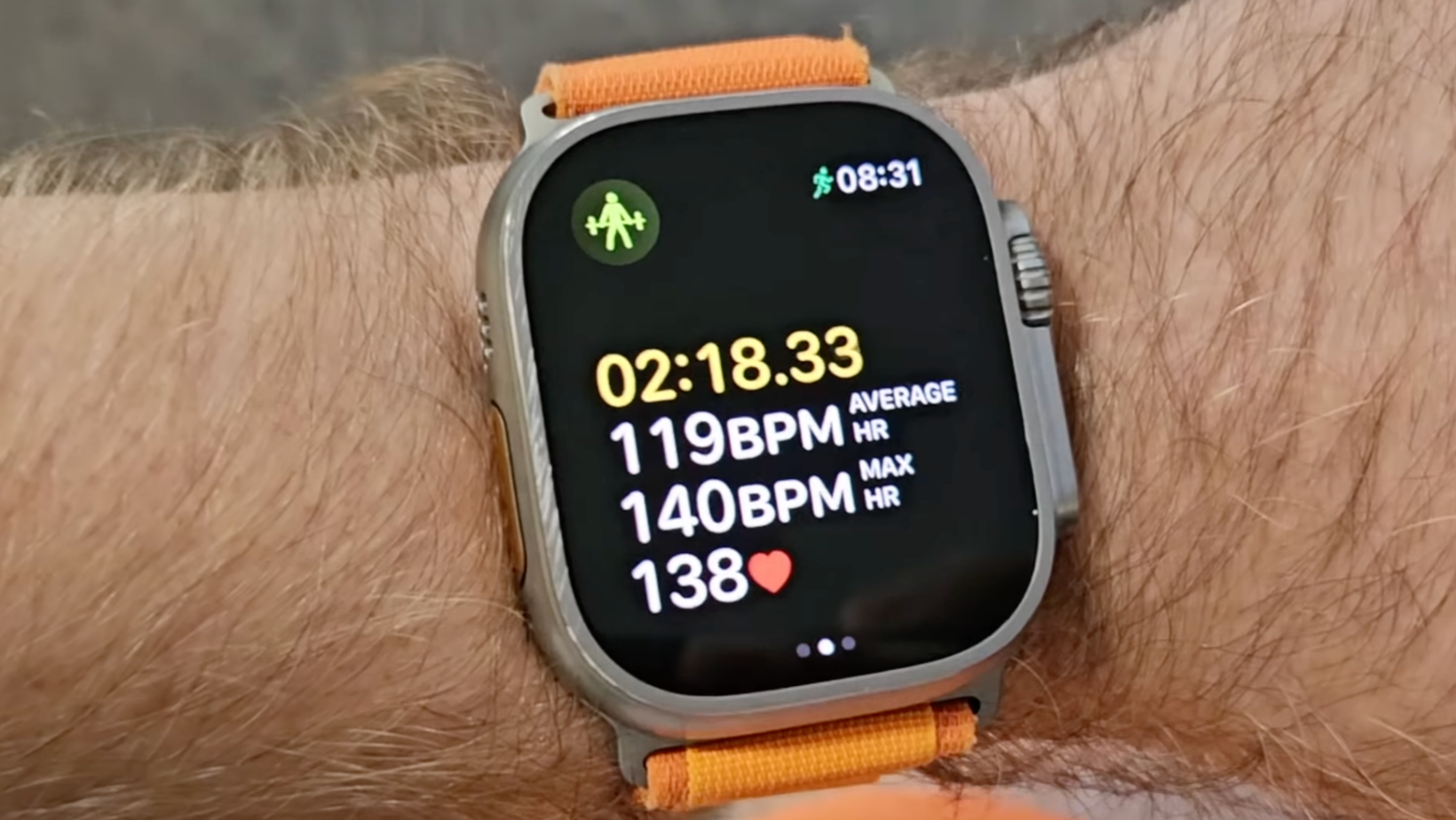
Apple Watch Readiness is a new health and fitness metric that takes several pieces of information collected by your watch and turns them into a score between 0 and 10.
Instead of jumping between screens to check how you slept, how much you've trained, and whether your health metrics have drifted from their normal range, Readiness is designed to give you a more immediate overview.
Apple divides the scores into four categories:
I like the fact that Apple has kept the scale relatively simple.
Wearables can very quickly disappear into percentages, colored charts, and proprietary metrics that make you feel as though you need a sports-science degree before breakfast. A 0–10 score accompanied by a plain-English category is much easier to understand at a glance.
How Apple Watch calculates your Readiness score
Apple Readiness uses information including your activity, training load, Vitals, and sleep. Heart rate variability also plays an important role in Apple's new recovery system, with the Series 12 and Ultra 4 able to collect HRV data much more frequently than previous models.
You need all of it, because no single number can tell you whether you've recovered well.
Why that one metric falls short
You might have slept for eight hours, but you crushed a brutal workout the night before. Or maybe you took a rest day, slept terribly, and woke up with a bunch of your health stats looking a little off.
Readiness looks at all of that together, so you don't have to play detective with each number on your own.
It's pretty much the same problem companies such as Oura Ring and WHOOP have been tackling for years. How do you take a mountain of body data and turn it into something regular people can use to plan their day?
Five-second heart-rate checks are here
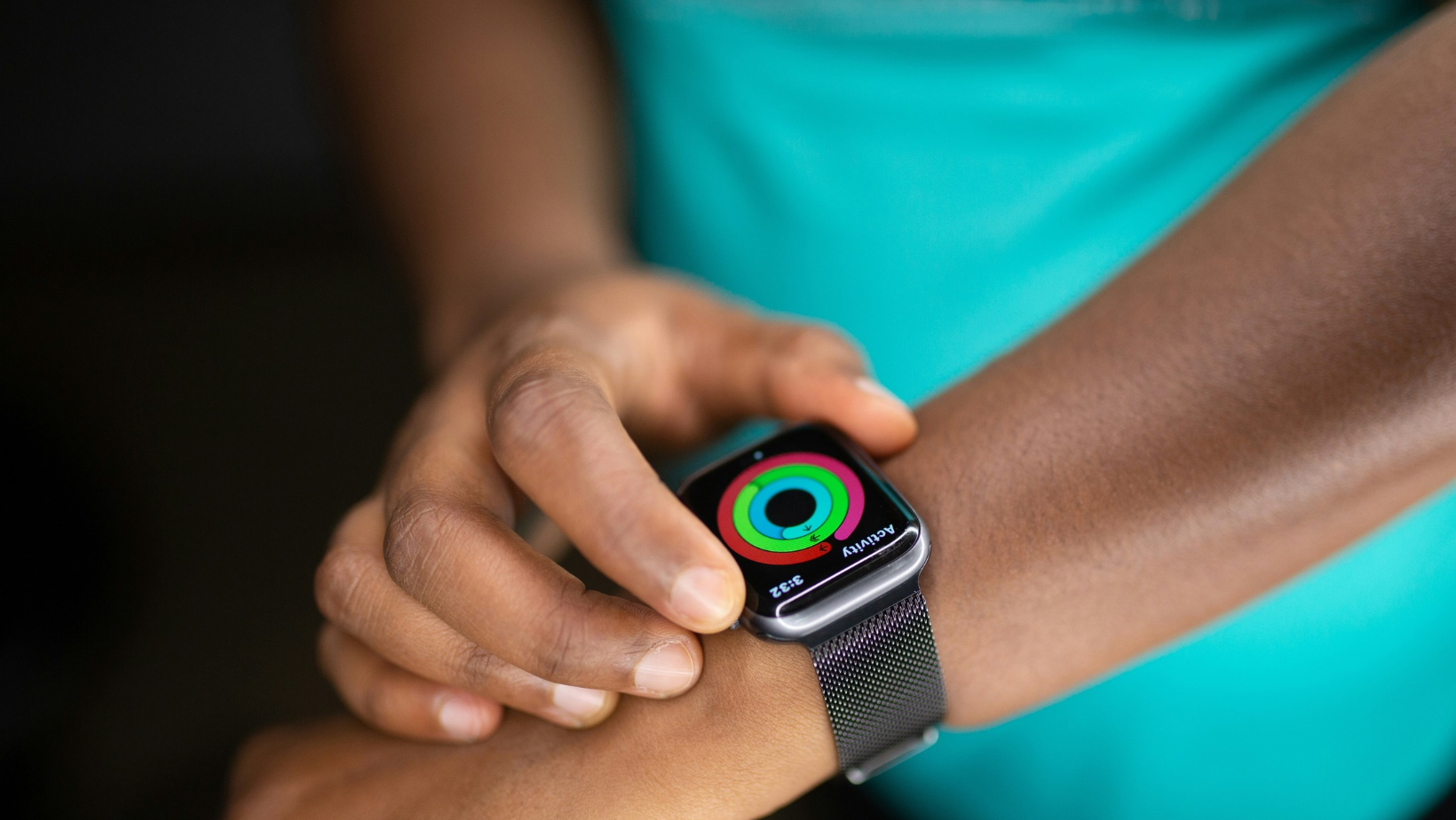
The Readiness score is only one part of the update. Apple has also changed how often the Apple Watch Series 12 and Apple Watch Ultra 4 collect some of the data behind it.
Apple says the new Health Sensing System can measure background heart rate every five seconds throughout the day.
The tech giant says that's roughly 60 times more often than the Series 11, a massive leap over the previous generation.
Apple Watch HRV gets a 24x boost
Apple has also increased the frequency of heart rate variability measurements. Your Apple Watch can now check your HRV as often as every five minutes. Apple says that's up to 24 times more often than before, which is a pretty huge jump.
So instead of grabbing a quick snapshot here and there, your watch is basically keeping tabs on you all day long.
More data won't magically give you a perfect read on your recovery, but it does give Apple's software a lot more to work with when it's looking for changes from your normal patterns.
What is HRV and why does Apple Watch Readiness use it?
Heart rate variability, usually shortened to HRV, measures the variation in time between individual heartbeats.
I know that sounds kind of backward. Most of us assume a healthy heart ticks along like a metronome. But the gap between beats naturally changes a little, and your autonomic nervous system (the part of your body that runs on autopilot) is what's pulling those strings.
That's why so many fitness trackers lean on HRV. When it moves, it can tell you a lot about how your body is handling things like workouts, sleep, stress, and rest days.
Your normal is unique
The key word here is your.
Here's the thing. A higher HRV isn't automatically "good," and a lower one isn't automatically "bad." Everyone's normal range is different, so comparing your number to your friend's won't tell you much. Your own trends are what count.
That's also why recovery scores get smarter the longer you wear your watch. It needs time to learn what normal looks like for you. One HRV reading on its own doesn't say a whole lot, but if your numbers stay off for a few days, that's worth paying attention to.
And with Apple Watch HRV checks happening so often, the Series 12 and Ultra 4 can track those changes in way more detail.
Bad night? Your score knows
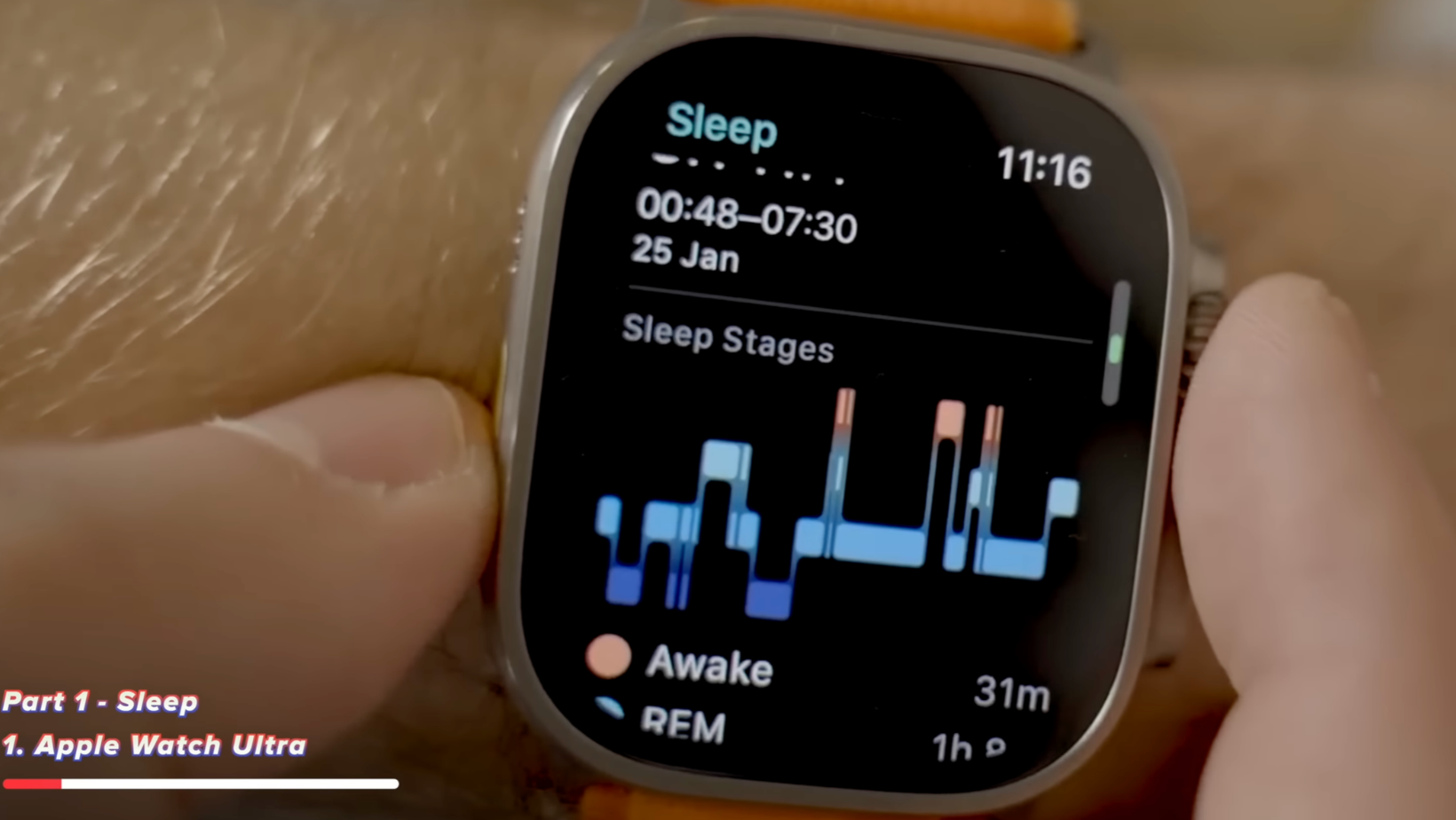
Sleep is another major part of Apple's Readiness system, which shouldn't come as much of a surprise.
If you've slept badly, there's a good chance you won't be as prepared for an intense workout like you would be after a good night's sleep. The challenge is that sleep is about way more than how many hours you spend in bed.
Sleep stages and overnight Vitals
Apple Watch already tracks sleep duration and sleep stages, while the wider Vitals system can put overnight measurements into the context of your normal ranges.
Readiness then puts all of that right next to your activity and training data.
That's a lot more helpful than waking up and seeing you got seven hours and 43 minutes of sleep. Your watch can look at how you slept and what you've been putting your body through lately, all at once.
If you train regularly, that's far more helpful than looking at your activity or your sleep on their own.
Your workouts get a reality check
Your training load plays into Readiness, too. Training load is intended to show how the intensity and duration of your recent exercise compare with what you've been doing over a longer period.
Context is everything here, because the same workout can hit two people completely differently, or even hit the same person differently depending on where they're at in their training.
Big jumps mean big strain
A 10K run might be an ordinary Tuesday for one person and a major effort for somebody else. Even if you're a regular runner, suddenly increasing your distance, intensity, or training frequency can put considerably more strain on your body than your usual routine.
Put training load together with your sleep and body data, and Readiness has a much better shot at telling whether you're up for another tough day.
Your watch still has no idea exactly how your muscles feel or whether your legs are still complaining about yesterday's squats.
But what it can do is look at a bunch of different signals and give you a pretty solid read on how you're doing.
Your Vitals join the Readiness mix
Apple's Vitals system is another piece of the puzzle. Instead of zeroing in on one number, Vitals checks whether your health stats are hanging out in their normal range.
The Series 12 and Ultra 4 take this even further with daytime and overnight Vitals, so you get that view during the day too, not only while you're asleep.
This is where all that extra sensor data starts to pay off.
Spotting your health patterns
If a few of your measurements start drifting away from their usual ranges at the same time, that tells you a lot more than one slightly odd reading on its own. Readiness can factor those patterns right into your score.
I think this is the direction wearable health data needs to go.
We've had years of devices telling us individual numbers. But these devices make a real difference when they help us understand how those numbers relate to one another.
Your morning score can change by lunch
One thing I like about Apple's approach is that Readiness isn't necessarily fixed when you wake up. The score can update during the day as your watch collects new information.
Which makes total sense, right? Your body doesn't stop changing at 7 a.m. because your watch handed you a score.
Made for busy, unpredictable days
Imagine you wake up feeling well recovered and receive a high Readiness score. You then go for a hard run, spend the afternoon walking around a city, and are a lot more active than on a normal day.
Your recovery picture has changed.
Likewise, you might start the day with a lower score, take things relatively easy, and see your data move in a more positive direction.
That makes Readiness more of a live indicator than a morning report card, and it should make the feature more useful to people whose activity isn't confined to one planned workout.
What each Apple Watch Readiness score category means
The four categories are pretty simple on purpose, but let's break down what Apple is really trying to tell you with each one.
1. Recover
A Recover result is the clearest signal that your recent data isn't pointing toward a hard day.
That could reflect a combination of poor sleep, training load, and changes in your physiological measurements.
I wouldn't interpret it as an instruction to spend the day horizontal on the couch unless that's what you were hoping to hear anyway. Treat it as a prompt to review the underlying information and consider whether recovery should be the priority.
2. Pace Yourself
Pace Yourself sits between full recovery and your normal level of activity.
You may still feel perfectly capable of exercising, but some of the data suggests that going all-out might not be the best option.
This could help you decide whether to turn a hard training session into an easier one rather than skipping exercise entirely.
3. Ready
A Ready score means your health, sleep, and training data are all looking good for a normal day.
Honestly, for most of us, this is probably the one we'll be hoping to see most mornings.
You don't need your watch congratulating you for reaching peak human condition every morning. You mainly want reassurance that nothing in your recent data is suggesting you should change course.
4. Go For It
Go For It is the top Readiness category, which basically means your data says you're good to go.
Apple Watch isn't promising you'll set a personal best, and you don't need to go hunting for the nearest hill to sprint up. What it does mean is that everything feeding into your score is pointing toward good recovery.
What you do with that information is still up to you.
How accurate is Apple Watch Readiness?
This is where it's critical to separate two slightly different things.
Apple has published research around the heart-rate sensing system used by its latest watches. The company says its study enrolled 1,460 participants, with 1,254 included in the final analysis, and used the Polar H10 chest strap as the reference device.
Apple compared its results with wearables from Garmin, Google, Huawei, Samsung, WHOOP, and Oura. According to Apple, its system performed better at a 99% confidence level in 139 of 159 comparisons.
That's an impressive claim, but it's also an Apple-conducted study.
It backs up what Apple says about its heart-rate tracking, but that's not the same as an outside group proving your Readiness score knows exactly when you should go hard at the gym.
Readiness is Apple's best take on a whole bunch of measurements. Even if every sensor is spot-on, your final score is still software making an educated guess about your recovery.
So I'd treat it like a helpful tip, not a set of orders.
Apple Watch Readiness vs. Oura and WHOOP
Apple isn't the first company to have wearables interpret health data for users. Oura's Readiness Score is one of the best-known examples, while WHOOP has built much of its experience around the relationship between strain, sleep, and recovery.
That's why Apple's move is interesting.
Apple Watch recovery tracking catches up
Previously, one of the arguments for wearing an Oura Ring or WHOOP alongside an Apple Watch was that those devices put much more emphasis on recovery. Apple Watch was extremely good at tracking activity and health information, but it didn't always package the data into the same sort of simple “how ready am I today?” answer.
Readiness closes some of that gap. There are still major differences between the platforms, including hardware, subscriptions, battery life, the metrics each company prioritizes, and how their algorithms calculate recovery.
I also wouldn't assume that a 9/10 from Apple is equivalent to a particular Oura or WHOOP score. Each company uses its own mix of data and its own secret sauce to get there.
Now that there's an Apple Watch recovery score built in, anyone who already wears one every day has less reason to buy a second wearable purely for recovery tracking.
Is your current Apple Watch invited?
The new Readiness experience is closely tied to the updated health-sensing hardware in the Apple Watch Series 12 and Apple Watch Ultra 4.
These watches check your heart rate and HRV far more often, and all that extra data feeds into Apple's new health and recovery features.
Keep that in mind if you're comparing the new watches with older models.
Why older watches miss out
Software updates can add plenty of new features to older Apple Watches, but they can't add sensors that aren't there.
The Apple Watch SE 3 is a good example. It remains in Apple's current lineup and supports watchOS 27, but Apple doesn't claim the same Series 12-style five-second heart-rate and five-minute HRV sampling for the SE.
So even if your watch runs watchOS 27 and the health apps look the same, don't expect the full Apple Watch Series 12 Readiness experience on older hardware.
Readiness is the Series 12's standout feature
The Apple Watch Series 12 isn't a dramatic redesign. Apple has kept the familiar 42mm and 46mm case family, and much of the external design will be immediately recognizable to anyone who has used a recent Apple Watch.
The bigger changes are happening inside. That's why Readiness is one of the features I'd pay most attention to if I were deciding whether to upgrade.
Better insights beat faster apps
Getting a new processor every year is nice, but most people aren't sitting around wishing their Apple Watch opened the timer app 11% faster. Giving me better information about how my body is responding to sleep, exercise, and recovery is something I can potentially use every day.
The increased sensing frequency is what makes this more than a new score slapped on top of old data.
Apple has cranked up how much data the watch collects, then made all of it way easier to understand.
That's the part I'm hyped about.
Always listen to your body first
Here's the thing to keep in mind if you're planning to use Readiness to guide your training.
Your Apple Watch can't know everything.
It doesn't know that you spent yesterday moving furniture, had a stressful day at work, or feel a cold coming on before the measurable signals become obvious.
On the flip side, you may occasionally feel fantastic when the watch gives you a mediocre score.
Wearable data is great at picking up patterns you might not notice on your own. It's a lot less helpful when you start trusting the algorithm over your own body.
Use your score as a conversation starter
I'd use Readiness as a reason to ask a question. If the watch says Recover and I also feel exhausted, that's helpful confirmation that taking an easier day is probably sensible.
If it says Go For It but I feel awful, I'm not going to attempt a personal best because my wrist has issued instructions. Do what feels right.
Can Readiness keep you from overtraining?
Potentially, although I wouldn't make the stronger claim that an Apple Watch can prevent overtraining.
What Readiness can do is make changes in your recovery data easier to see.
If you're training hard for several days, sleeping poorly, and seeing physiological metrics drift away from your normal ranges, having those signals combined into one score may make it harder to ignore what your body is doing.
A win for weekend warriors
That's particularly valuable for enthusiastic amateur athletes. Professional athletes usually have coaches, structured training programs, and a much more detailed understanding of recovery. The rest of us are a lot more likely to decide that three hours of sleep is fine because the weather is nice and we'd planned a long run.
Having an Apple Watch recovery score right there on your wrist can help you pump the brakes a little.
The real value will become clearer after people have used Readiness over longer periods and we can see how responsive it is to different training patterns, illness, poor sleep, and ordinary life.
Is Apple Watch Readiness useful if you don't exercise much?
I think it could be. The feature is obviously attractive to runners, cyclists, gym users, and anyone following a structured training program, but recovery isn't exclusively a sports concept.
Sleep, stress, and general activity affect everyone.
If Readiness helps somebody notice that several nights of poor sleep are lining up with changes in their Vitals, that comes in handy even if their most ambitious workout that week is walking to the mailbox.
An athlete might use Readiness to decide whether to complete an interval session. Somebody else might use it as a prompt to prioritize sleep or avoid cramming too much into an already exhausting day.
You don't need to be training for a marathon to benefit from understanding your own health trends.
Will Readiness make me healthier?
Not by itself. This is a problem with almost every wearable health feature. Data can tell you that you slept badly. It can't go to bed at 10 p.m. for you.
It can tell you that your recovery looks poor, but it can't cancel your late meeting, cook dinner, or politely remove your phone from your hand when you've been scrolling at midnight for reasons nobody can quite explain.
Readiness is really only worth it if it changes behavior.
When a lower score gets you to take it easy, sleep more, or admit you've been pushing too hard, that's the feature doing its job.
But checking your score, saying "interesting," and then doing exactly what you were going to do anyway? That's another number on your wrist.
Is Readiness worth a Series 12 upgrade?
Personally, I wouldn't buy a new Apple Watch for one number. I would consider upgrading if the whole new health-sensing system is valuable to you.
Readiness is the easiest part of that system to understand because it's what you see on the screen, but the bigger upgrade is happening underneath. There are more frequent background heart-rate measurements and HRV readings, and broader daytime and overnight health data.
If you already track workouts, sleep, and recovery closely, that can really level up your fitness goals.
It's especially tempting if you've previously considered wearing an Oura Ring or WHOOP alongside your Apple Watch because you wanted better recovery guidance. Having more of that built into the watch you already wear could save you from buying a second device.
Who can skip it
If you mainly use your Apple Watch for notifications, Apple Pay, and occasionally remembering that you've been sitting down for too long, Readiness probably isn't enough reason to replace a recent model.
And that's fine. Health features pay off when they're solving a problem you have.
Why the Apple Watch Readiness score could win me over
Readiness is one of the Apple Watch Series 12 features I'm most excited about because it addresses a problem wearables have created for themselves.
We've become very good at collecting data. We've been less good at explaining what people should do with it.
A heart-rate graph, an HRV reading, sleep stages, and a training-load chart can all be handy individually, but most people don't want to spend 20 minutes analyzing health metrics before deciding whether to go to the gym.
Putting those signals into a simple 0–10 score makes the information much easier to use.
More importantly, Apple hasn't only added the score. Series 12 and Ultra 4 also check your heart rate and HRV far more often than before.
I think that's the awesome part.
I'm less interested in whether Apple Watch tells me I'm a 7 rather than an 8 on a Tuesday morning, and more interested in whether the score earns its keep over weeks and months as the watch gets to know my normal patterns.
For existing Apple Watch users, that could make Series 12 a much more valuable health upgrade than its familiar exterior suggests.
Just remember, if your watch says Go For It, and every part of your body says absolutely not, I'd listen to the one with legs.
For more health-tech deep dives and buying advice like this, you can join my Experiments in Progress newsletter.
FAQs
What is Apple Watch Readiness?
Apple Watch Readiness is a health and recovery feature that combines information including sleep, activity, training load, Vitals, and heart rate variability into a score from 0 to 10. It is designed to give you a quick indication of how prepared your body appears to be for activity and the day ahead.
What is a good Apple Watch Readiness score?
Apple groups Readiness scores into four categories rather than presenting one universal “good” number: Recover, Pace Yourself, Ready, and Go For It. The usefulness of the score comes from how your current data compares with your own health and activity patterns.
How does Apple Watch calculate Readiness?
Apple uses several sources of data, including activity, training load, sleep, Vitals, and physiological measurements such as heart rate variability. Apple hasn't shared exactly how much weight each input gets, so it'd be misleading to call Readiness a simple formula.
Does Apple Watch Readiness update during the day?
Yes. Readiness can change as the Apple Watch collects additional activity and health information during the day, rather than remaining fixed at the score you receive when you wake up.
How often does Apple Watch Series 12 measure heart rate?
Apple says the Series 12 and Ultra 4 can measure background heart rate every five seconds throughout the day. Apple describes this as around 60 times more frequent than the previous Series 11 generation.
How often does Apple Watch measure HRV?
On Apple Watch Series 12 and Ultra 4, Apple says heart rate variability can be measured as often as every five minutes, which it describes as up to 24 times more frequent than before.
Is Apple Watch Readiness the same as Oura Readiness?
No. The basic idea is similar because both aim to turn several health and recovery signals into an easier-to-understand readiness assessment, but Apple and Oura use their own hardware, data, and algorithms. Their scores shouldn't be treated as directly interchangeable.
Is Apple Watch Readiness the same as WHOOP Recovery?
No. Both features aim to help users understand recovery and preparedness, but they are separate proprietary systems. WHOOP has historically placed recovery and strain at the center of its platform, while Readiness is Apple's approach to bringing more recovery guidance into the Apple Watch experience.
Is Apple Watch Readiness medically accurate?
Readiness should be treated as health and fitness guidance rather than a medical diagnosis. Apple has published an Apple-conducted study evaluating the heart-rate sensing technology behind its newest watches, but that is different from independently validating every Readiness score as a measure of whether an individual should exercise.
Is Apple Watch Readiness worth upgrading for?
It could be if you already use your Apple Watch heavily for exercise, sleep, and recovery tracking. The bigger reason to consider the Series 12 or Ultra 4 is the combination of Readiness with more frequent heart-rate and HRV measurements. If health and fitness tracking aren't particularly meaningful to you, Readiness alone is unlikely to justify replacing a recent Apple Watch.
